AI Search Analytics: What to Track and How to Use the Data
Learn how to use AI search analytics to track visibility, research prompts, analyze sources, and turn your findings into practical improvements.

Key Takeaways
- Track visibility percentage, average rank, and sentiment by topic and AI platform.
- Research questions your buyers ask, then read the tracked answers to understand where you’re missing and why competitors appear.
- Review cited sources and underlying searches to find information your content should cover.
- Check whether AI describes your features, pricing, and audience accurately.
- Measure AI referral traffic and conversions to see what visitors do after reaching your website.
- Use ZeroRank’s recommendations, Copilot, content tools, and workflows to act on your findings.
Your brand appears in an AI answer. A competitor ranks above you. A comparison article gets cited, while your product page does not. Someone arrives on your website from ChatGPT and requests a demo.
AI search analytics helps you connect these observations. It shows how your brand performs in AI answers, which questions and sources deserve attention, and what happens when AI platforms send visitors to your site.
The practical goal is to decide where to act. That might mean tracking a question you have overlooked, correcting an outdated product claim, improving a frequently cited page, or investigating why competitors appear for a valuable buying prompt.
This guide covers the main areas of AI search analytics and how to use them in ZeroRank AI.
1. Start with your performance overview
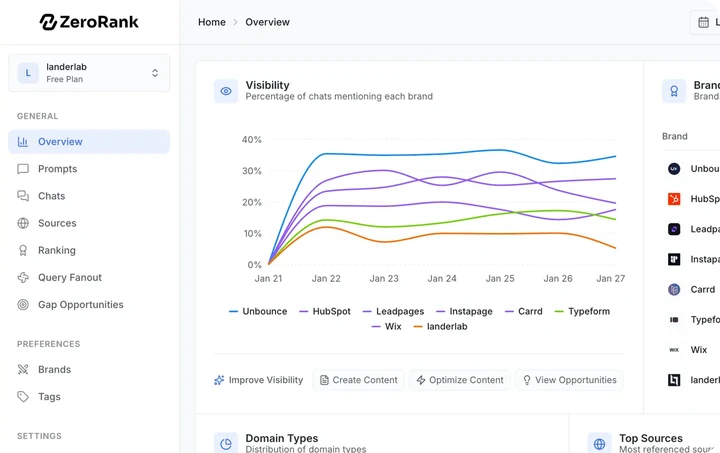
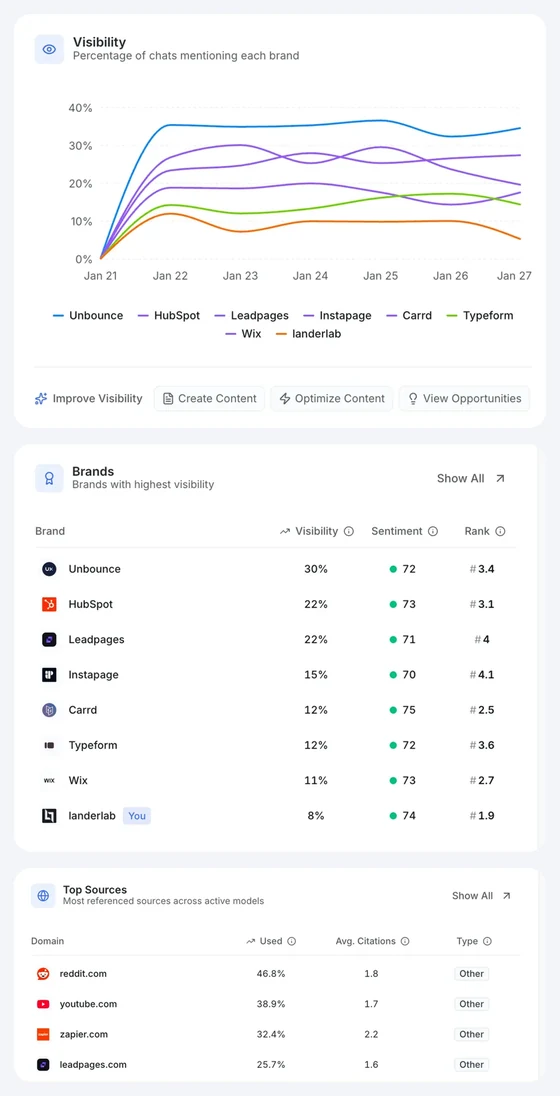
An overview should help you spot changes that deserve a closer look. Three useful starting metrics are visibility percentage, average rank, and sentiment.
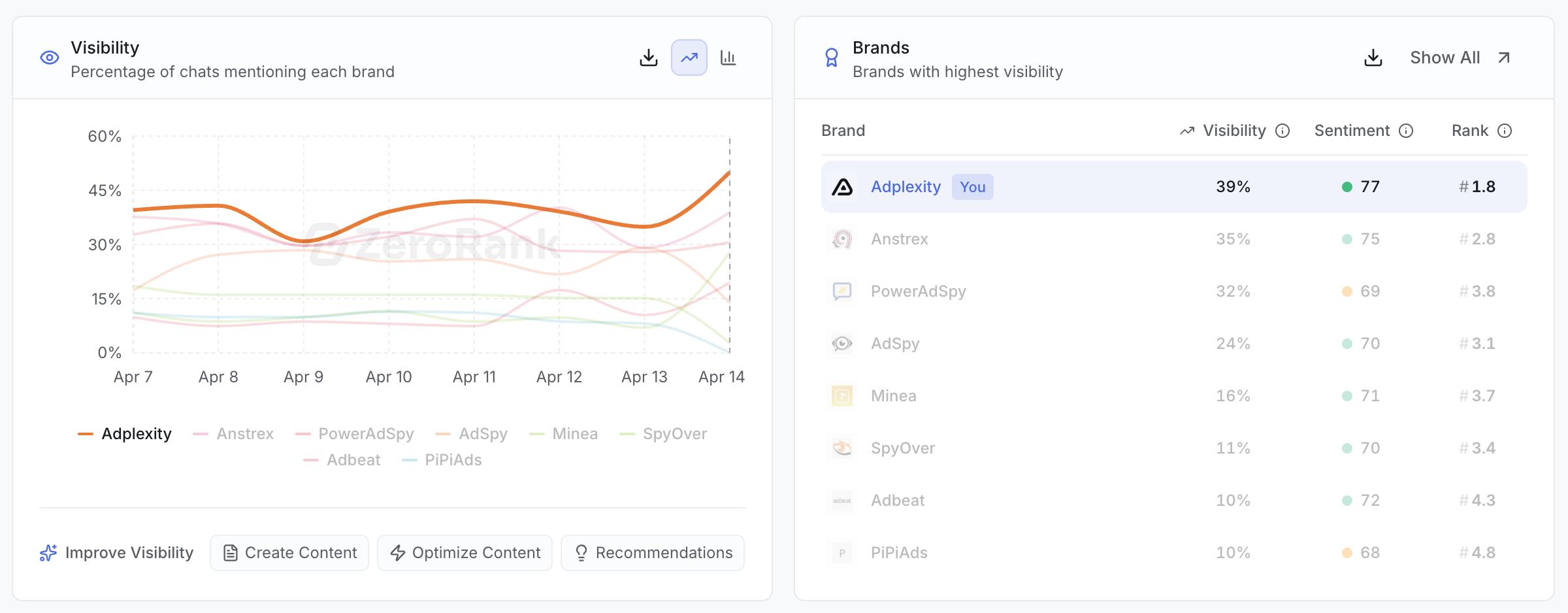
The visibility score (opens in a new tab) measures how often your brand appears in the answers collected for your tracked prompts. If it appears in 25 of 100 answers, visibility is 25%. This describes your tracked sample, rather than your share of every conversation happening across AI platforms.
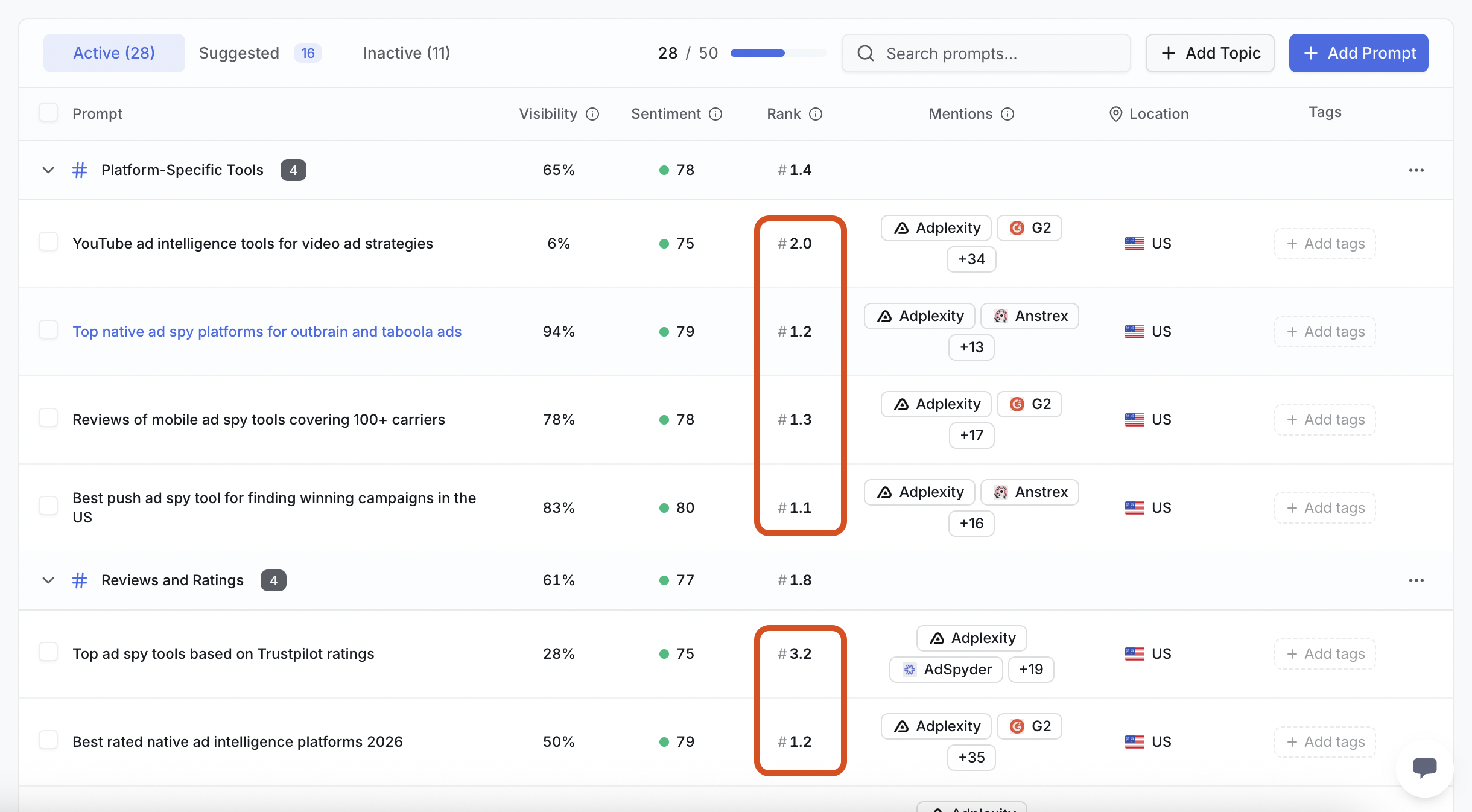
Average rank measures your position in answers with an ordered recommendation or comparison. A first-place recommendation and an eighth-place appearance both count as mentions, but they give your brand different prominence. Apply rank only where the answer has a meaningful order.
You can investigate performance by platform and prompt group instead of relying entirely on the overall result.
Sentiment shows whether AI describes your brand positively, neutrally, or negatively. Use it to flag answers worth reading, especially when the score changes.
ZeroRank brings these metrics together with visibility trends, competitor rankings, recent AI answers, and frequently cited sources.
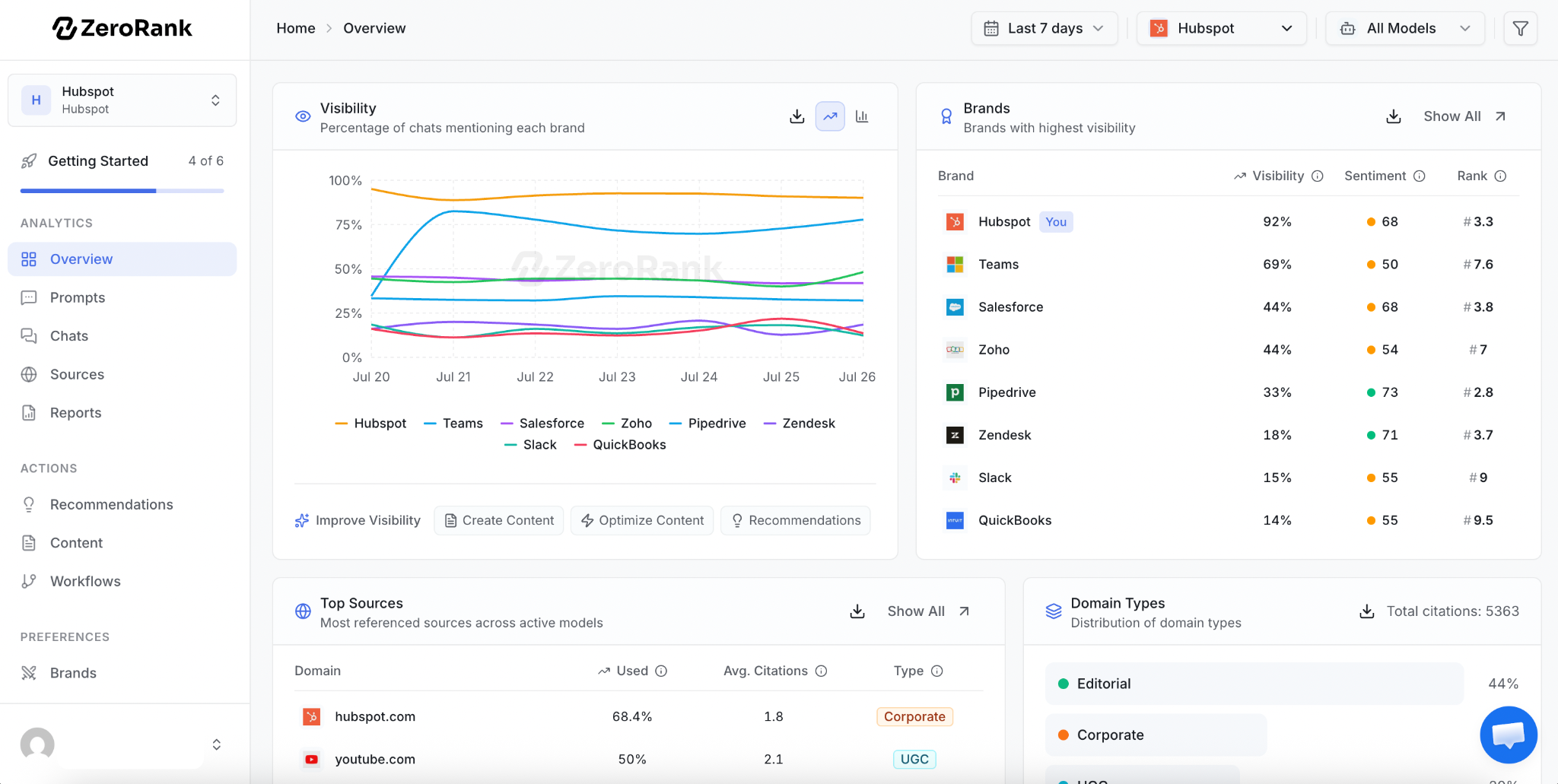
For example, an increase in total visibility could come from broad informational questions while your presence in buying comparisons stays flat. That calls for a different response than an improvement across your most commercially relevant prompts.
2. Use prompt research to decide what to track
Your analytics will only be useful if the questions you monitor reflect your market. A prompt library built entirely around your brand name can tell you how AI describes you, but it leaves out the discovery questions where prospective customers have not chosen a provider yet.
Start with your product category, the problems you solve, and the comparisons buyers make. Research these topics before committing your tracking budget.
ZeroRank’s Prompt Research combines several sources: Google People Also Ask questions, related searches, keyword data, keywords a researched domain ranks for, and observed queries from ChatGPT or searches triggering Google AI Overviews.
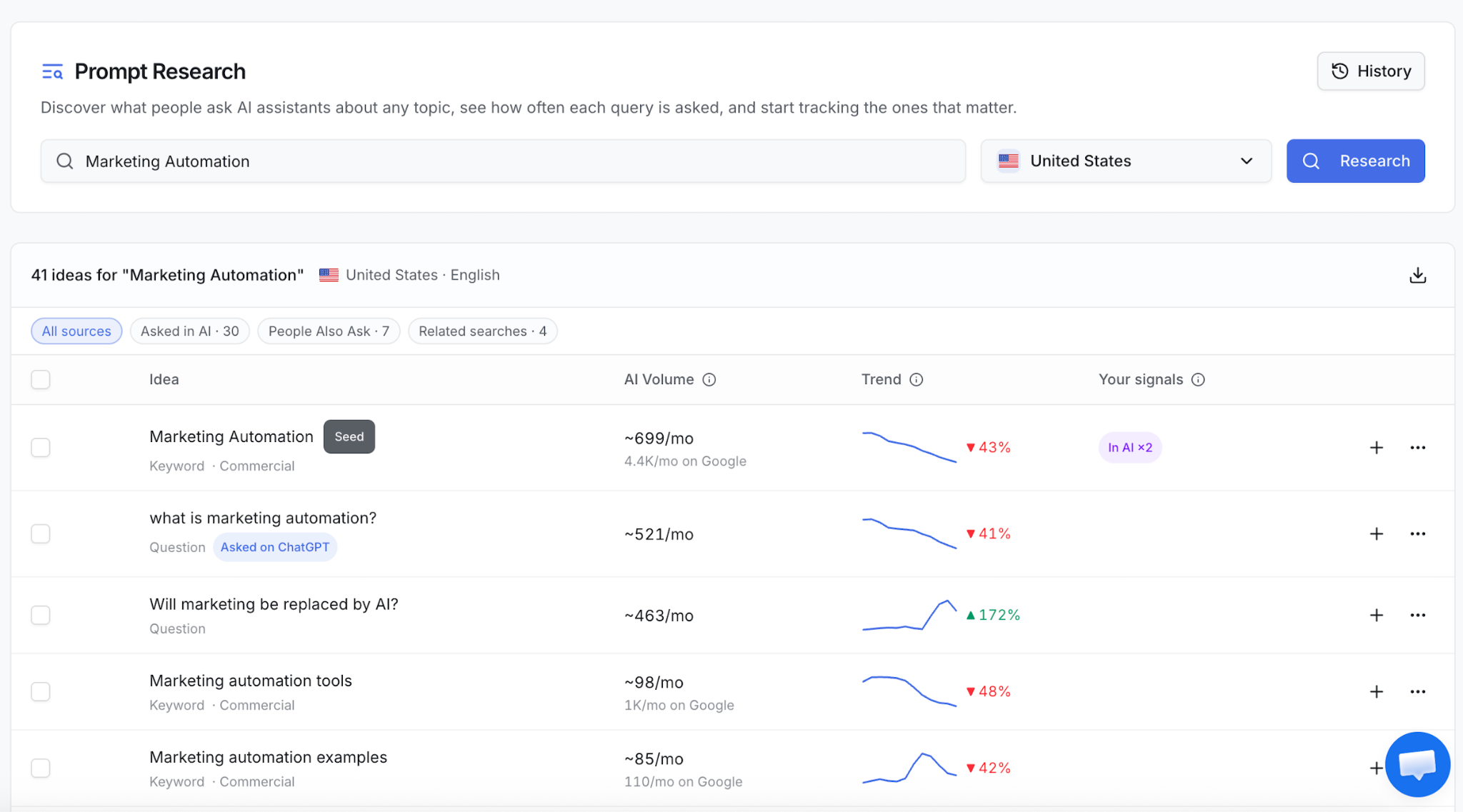
Each idea can include estimated monthly AI search volume, Google volume where available, search intent, and a 12-month trend where historical data exists. Missing measurements appear as gaps rather than invented numbers.
Use volume alongside relevance. A narrow question about a feature your buyers need may be more valuable to track than a popular question loosely related to your industry.
Volume estimates help prioritize research; they do not provide a complete count of every private AI conversation.
You can research a competitor’s domain, choose a country, and preview an AI answer before adding a prompt. With Google Search Console connected, ZeroRank also shows your Google position for ideas that match queries among your site’s top Search Console results.
Selected ideas can become active prompts individually or in bulk. That turns research into a measurable set of questions you can revisit over time.
3. Track prompts and inspect the answers behind the metrics
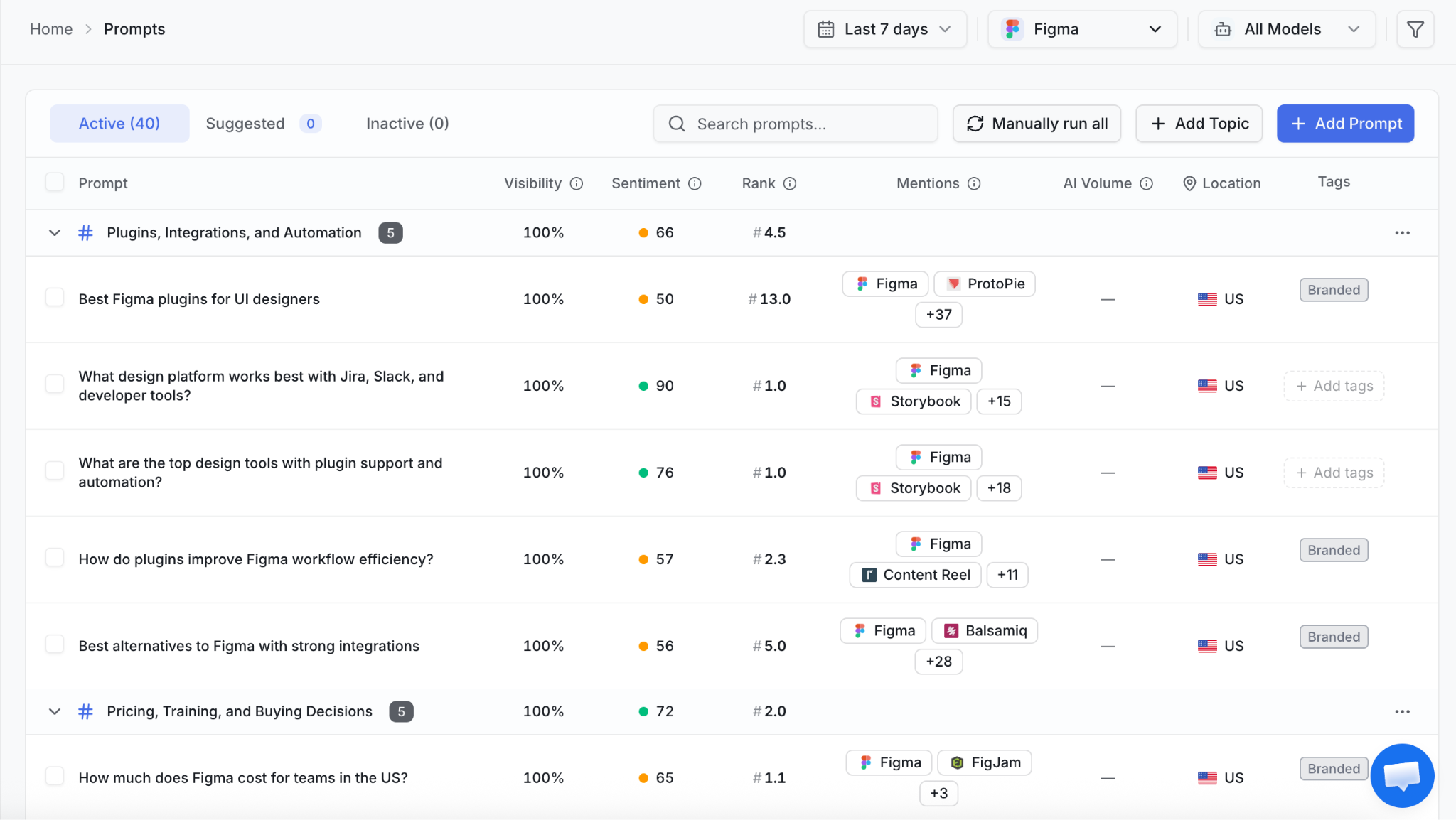
Prompt tracking (opens in a new tab) shows how AI responds to the questions you have chosen. At this level, you can see whether your brand appears, which competitors are recommended, where you rank, and which sources support the response.
Group prompts by topic and use tags to distinguish buyer stages or other priorities. Questions about understanding a problem should be easy to separate from questions comparing products or choosing a supplier.
For a hypothetical project management product, a tracking set might include:
- How can a small agency manage client approvals?
- What are the best project management tools for agencies?
- Which project management tools include client portals?
- How does our product compare with a named competitor?
These questions test different opportunities. A brand might appear in general product lists but be absent when a buyer asks about a specific capability it already offers.
ZeroRank lets you organize prompts into topics, set locations, select models, and choose daily, weekly, monthly, or manual tracking at the workspace level. The cadence should match how often you need new evidence and the answer-run budget available.
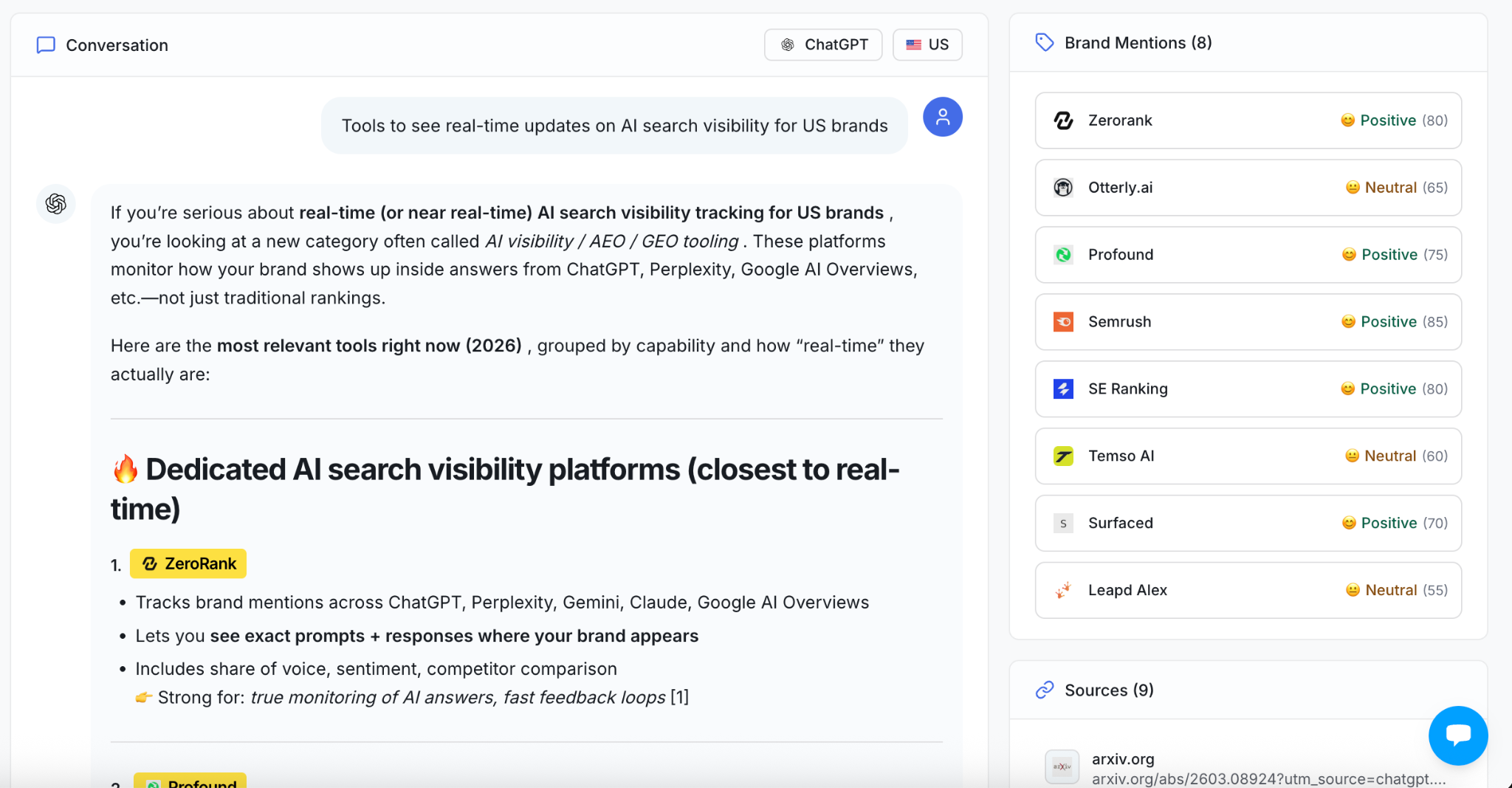
When a metric moves, open the underlying answers. Chats lets you browse collected responses with model and date filters, so you can check what was actually said. Repeated appearances or omissions across runs provide more useful evidence than one isolated answer.
Also check whether your prompt set changed. Adding new questions can move an aggregate visibility score even when performance on the original questions is unchanged. Compare a consistent group when evaluating an improvement.
4. Study the sources and searches behind AI answers
Source analysis (opens in a new tab) shows which websites and pages AI cites for the prompts you track. It can reveal whether your own content is being used, which third-party publications recur, and where competitors receive coverage.
Examine both domains and individual URLs. A domain view shows which websites appear frequently; a URL view reveals the exact articles, product pages, or discussions worth reviewing.
ZeroRank breaks sources down by types such as editorial, user-generated, corporate, and competitor sites. It also supports URL-type filtering and source detail pages with trends. Citation metrics help you assess how frequently a source appears across collected answers.
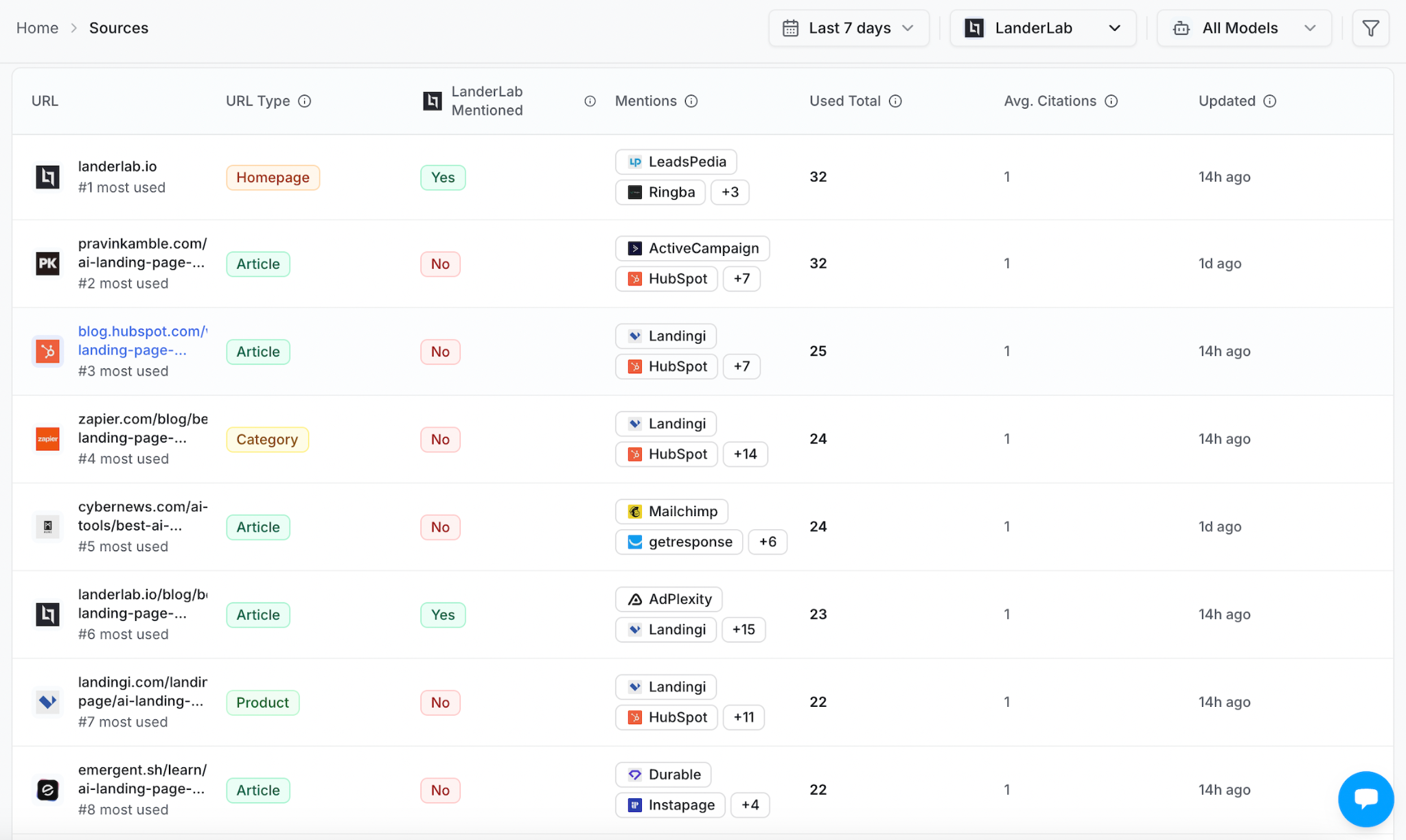
Mentions and citations should be analyzed separately. An answer may recommend your brand without citing your site, or cite your article while recommending another company. The first is brand exposure; the second shows use of your content as a source.
When a third-party page repeatedly appears in answers for a valuable topic, inspect its relevance and accuracy. It may offer an opportunity for a factual update, editorial outreach, or a better understanding of what information your own pages lack.
5. Look at query fan-out
An AI assistant may expand a user’s question into several underlying searches. This is often called query fan-out.
ZeroRank groups the observed searches under the original prompt. These can reveal the subtopics an assistant investigates while preparing an answer.
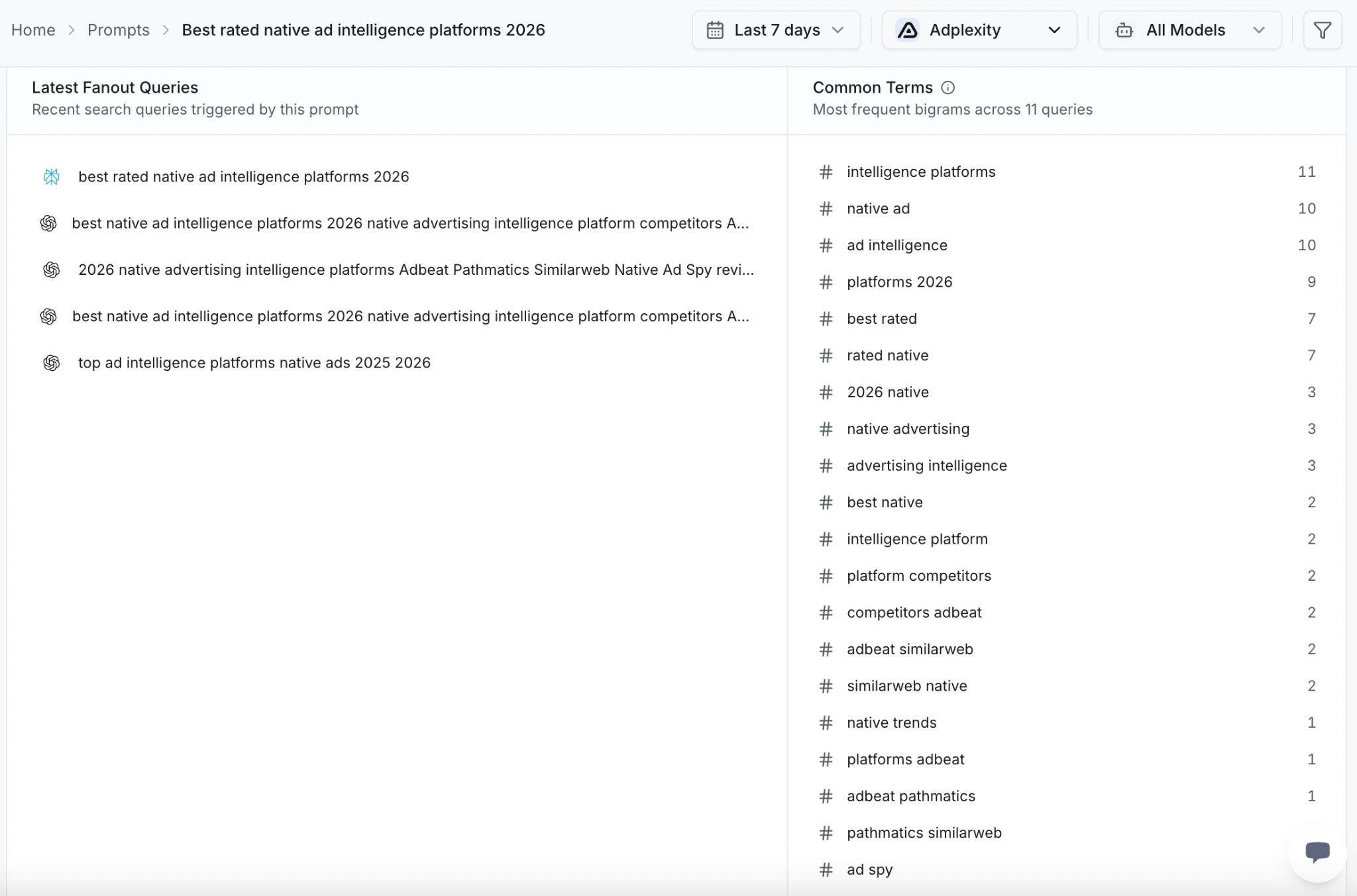
For example, a broad question about software for agencies might lead to searches about client access, pricing, and reporting features. If these searches repeatedly concern capabilities your website explains poorly, they give you concrete subjects to review.
Use the searches available in your collected data as evidence of that response’s research process. They are not a complete record of every factor influencing the model’s answer.
6. Review brand perception and factual accuracy
A positive mention can still describe your product incorrectly. AI might recommend you while naming an outdated plan, overlooking an integration, or presenting the product as suitable for the wrong audience.
Sentiment analysis helps you find patterns in tone. Reviewing the full answers lets you check the claims themselves.
Look at how AI describes your core use cases, features, pricing, and differences from competitors. Separate factual errors from opinions. An incorrect statement about whether you offer an integration needs a different response from criticism of your pricing.
ZeroRank provides sentiment scoring and a positive, neutral, and negative breakdown, while keeping the collected responses available for inspection. Use the score to prioritize review, then read the wording and cited pages before deciding what needs to change.
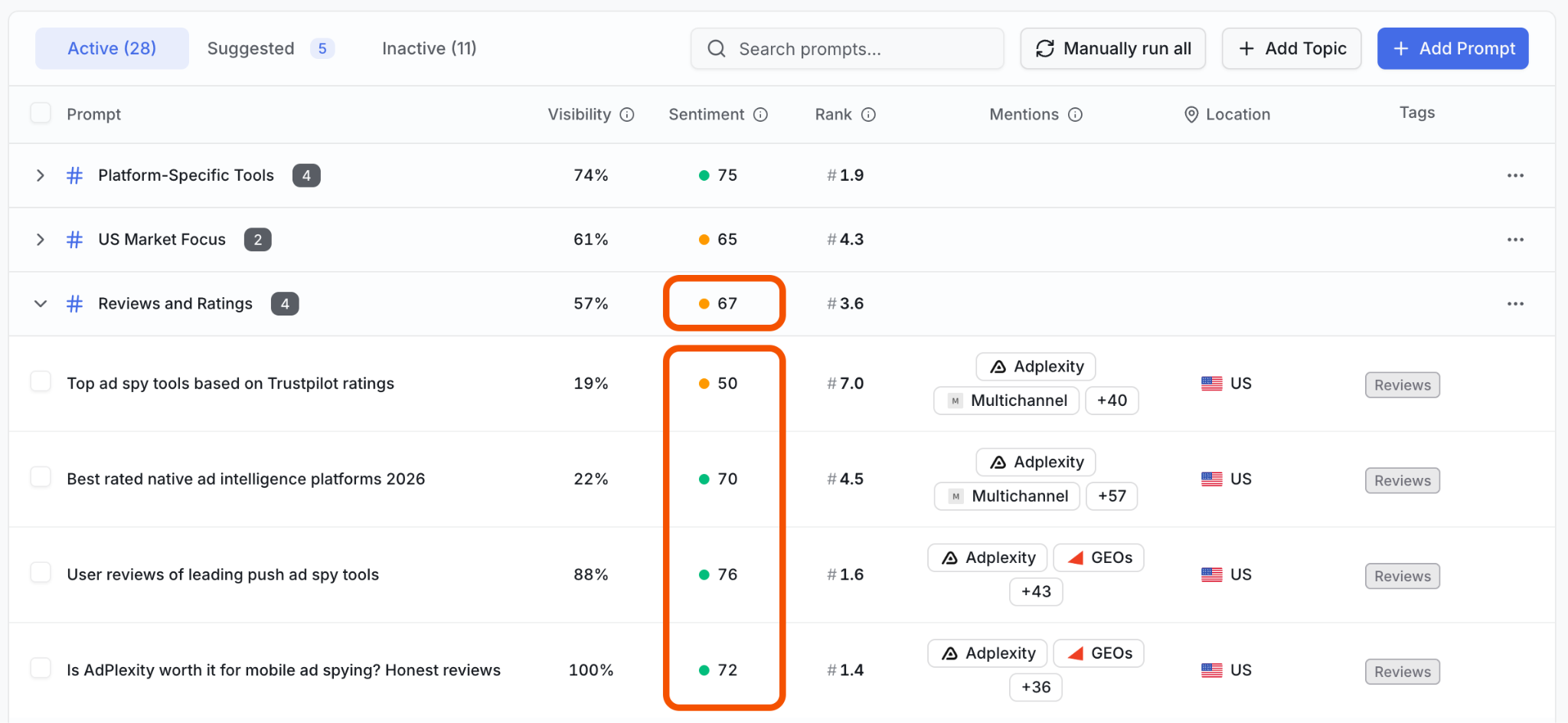
If the same inaccurate claim appears repeatedly, inspect your own product pages and the third-party sources cited alongside it.
Update unclear information you control and pursue corrections where the external claim is demonstrably wrong. Track later answers to see whether the description changes.
7. Connect AI visibility with referral traffic and conversions
Visibility analytics measures appearances in collected AI answers. Referral analytics measures visits to your website that can be identified as coming from AI platforms.
With Google Analytics connected, ZeroRank’s AI Traffic page reports sessions, visitors, engagement, and conversions, including changes against the previous period. You can examine platform performance, new and returning visitors, top countries, and landing pages.
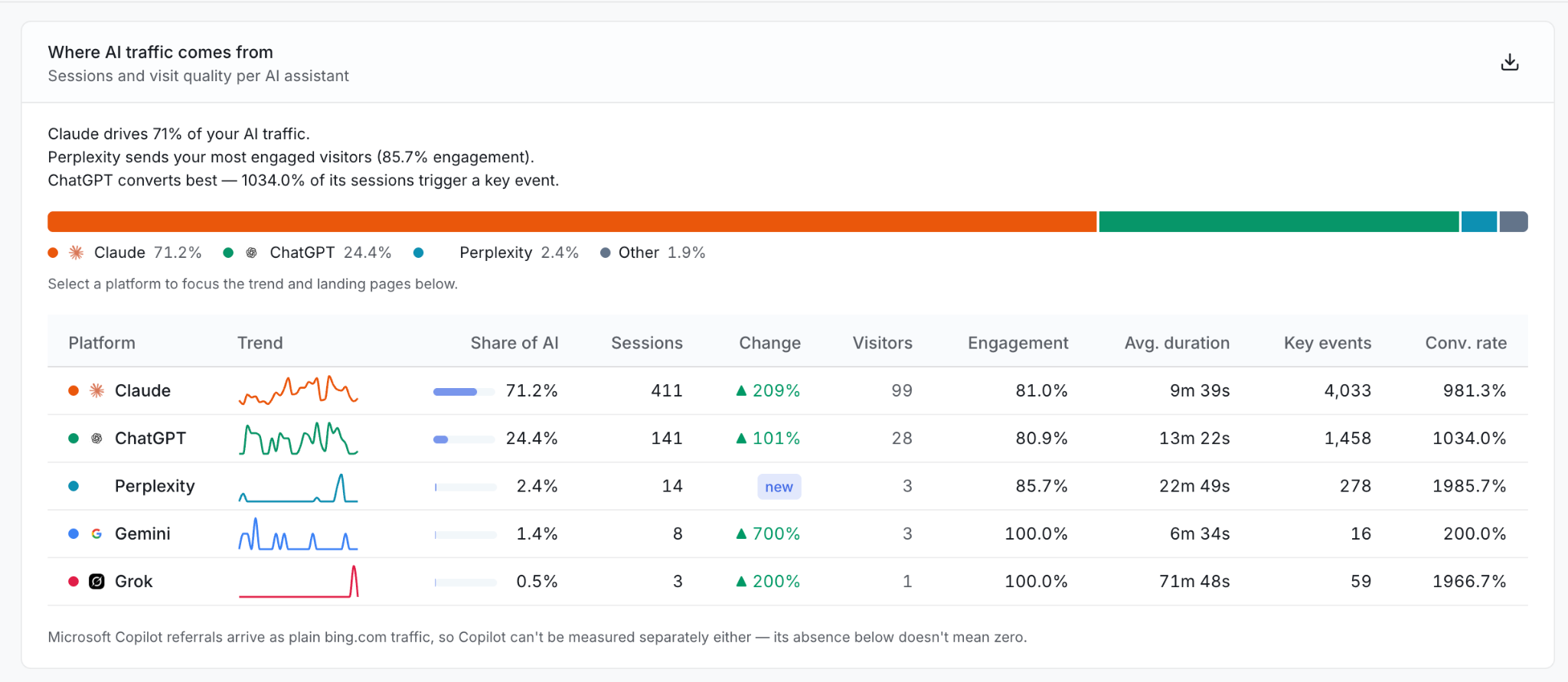
Referral reporting also captures only the traffic it can identify. Treat measured AI referrals as an incomplete view of AI’s contribution, and make sure the conversion events in Google Analytics reflect actions that matter to your business.
From AI search analytics to action
Once you’ve found a visibility gap, what should you do about it? You might need to improve an existing page, create content for a missing topic, or reach out to a publication that appears regularly in AI answers.
ZeroRank AI gives you recommendations based on your data and tools to carry them out:
- Copilot: Ask why a competitor appears ahead of you or which opportunities to prioritize. Copilot uses your workspace data to suggest next steps and can help execute them with your approval. Over 10,000 MCP connections are available to connect it with other tools.
- Content creation and optimization: Turn a content opportunity into a brief and draft, or improve an existing page using recommendations informed by the pages AI cites.
- Workflows: Automate repeatable research and content tasks with credit-based workflows, using ready-made templates or building your own.
- MCP access: Connect assistants such as Claude to your ZeroRank workspace to analyze results, manage prompts, and run checks from the tools you already use.
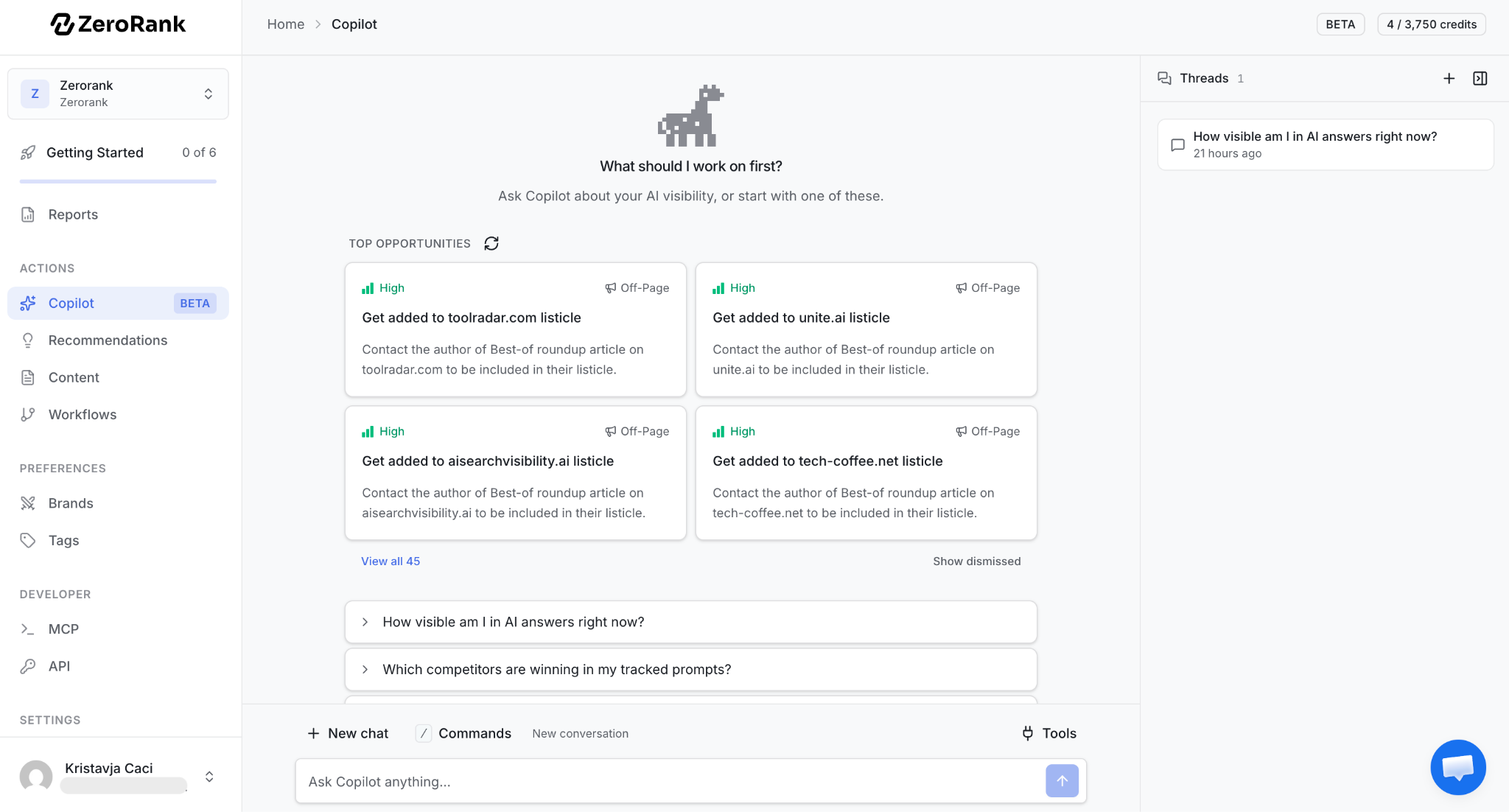
Start with one relevant opportunity, make the change, and track the results. ZeroRank helps you move from understanding your visibility to working on improving it.
Try ZeroRank AI to track, understand, and improve your presence in AI search.
Filed under AI Search Education
Keep reading
All posts AI Search Education
 The 14 Best GEO Agencies for SaaS in 2026 (Pricing and G2 Ratings Verified)
We verified pricing pages, G2 and Clutch ratings, and AI search deliverables for 14 GEO agencies serving SaaS. Six publish no price. See who fits your budget.
 AI Search Education
 GEO vs. SEO: What’s the Difference?
GEO vs. SEO explained with practical examples. Learn how AI search optimization differs from traditional SEO and how to improve your AI visibility.

 AI Search Education
 Data Scraping vs. API Calls: Best Way to Track AI Search Visibility
AI visibility tools use different methods to collect their data. Learn why UI scraping provides a more accurate view of the brand mentions, citations, and sources users see—and when API calls still make sense.