Technical SEO for AI Search: 7 Checks That Matter
Before rewriting for AI search, make sure your best pages can be reached and read. Seven practical checks, direct expert quotes and a live page example.
Key Takeaways
- Start with an important buyer question and the page that should answer it.
- Check public access, crawler rules, indexing and readable content before commissioning a rewrite.
- Keep search-crawler controls separate from model-training controls.
- Make internal links, preferred URLs, visible facts and structured data agree.
- Verify the fix on the live page, then return to the same buying questions to follow the answers.
You have a useful product page. It explains the integration, answers the pricing question and gives buyers a reason to choose you. Then you ask ChatGPT for a shortlist, and a competitor appears with half the detail.
Before ordering another rewrite, check whether search systems can actually reach the page you already have.
A firewall challenge, an old noindex setting or a key answer hidden behind an interactive widget can stand between good content and the systems trying to retrieve it. These are familiar website problems. AI search gives you another reason to fix them.
Technical SEO for AI search is the work that makes your public content accessible and readable to the search systems behind AI answers. Here are seven checks worth doing, with a live page example to show what the work looks like.
1. Start with the page buyers actually need
A site-wide audit can produce a long list of tasks without telling you which one deserves this week’s development time.
Start closer to the buyer. If people ask whether your software integrates with Shopify, inspect the integration page. If an answer repeats an old plan limit, inspect the pricing page and the source it cites.
Then open that exact URL as a visitor who is not logged in. The important explanation should be there without a customer session, a form submission or a location choice that hides the content.
An integration guide can look perfectly healthy to your team because everyone has an account. A new visitor might be redirected to sign-in. The practical fix is to publish the information buyers need on a public page.
John Mueller put the access requirement plainly in Google’s guidance for AI search experiences (opens in a new tab):
“Meeting the technical requirements covers you for search generally, including AI formats.”
— John Mueller, Google Search Relations.
For Google, those basics include an accessible page, a successful response and indexable content. That gives you a useful first question for your web team: what does this URL return to a visitor with no existing session?
2. Find out which crawler the site is blocking
“We block AI bots” sounds like one setting. It can cover several different decisions.
OpenAI documents separate controls for OAI-SearchBot, which is used for ChatGPT search, and GPTBot, which crawls content that may be used for model training. You can allow search access while declining training use.
“Each setting is independent of the others”
— OpenAI’s crawler documentation (opens in a new tab).
That distinction matters when a team wants buyers to find its product in ChatGPT but has deliberately blocked training crawlers. Review the named bot and its purpose before changing a rule.
Also check the layer in front of the website. A permissive robots.txt file will not help a request that the firewall challenges or rejects first. Ask your hosting team to inspect the relevant request and verify the crawler using the provider’s published guidance.
The useful handoff names the page, the crawler and the observed response. “Please enable AI” leaves too much open to interpretation.
For Google AI Overviews and AI Mode, Googlebot is the relevant search crawler. Google-Extended covers other uses; it is not the switch that controls inclusion in Google Search.
3. Check whether the page is allowed to appear
A page can be public and still tell a search engine not to index it.
This often happens after a launch or a template change. The page looks finished, the navigation links to it, but a staging noindex setting survives in production.
Use Search Console’s URL Inspection tool for the page’s Google indexing status. Inspect the HTML and HTTP response headers for indexing directives, and check which URL Google selected as canonical.
Snippet controls matter here too. Google says a page needs to be indexed and eligible for a search snippet to appear as a supporting link in AI Overviews or AI Mode.
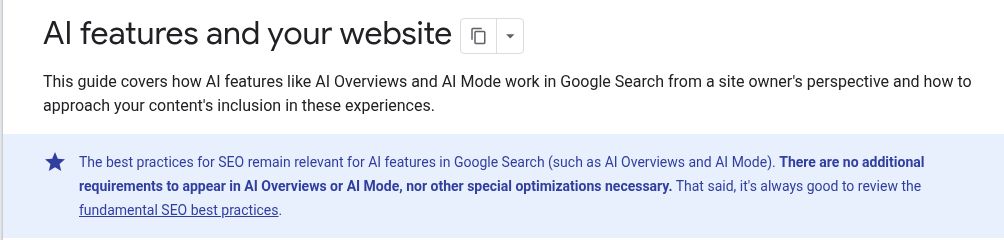
Google’s AI features documentation (opens in a new tab) says special AI files and additional AI-specific markup are not required for those features. Start with access, indexing and the content itself.
If the inspection points to a template problem, fix the template and test the page again. A new introduction will not remove a noindex instruction.
4. Read the page before the interactive parts load
Your browser can make an incomplete page look finished. JavaScript may fetch the explanation, build the comparison table or reveal the answer after a click.
That is worth testing because retrieval systems do not all render pages in the same way.
Compare the initial HTML with the rendered page. Look for the information that would answer the buyer’s question: supported integrations, plan limits, implementation details and the links to related pages.
Google explains its own rendering process in its JavaScript SEO documentation (opens in a new tab). For your site, the useful test is whether the core information is available reliably, including when a script or API request fails.
A live example from our own site
We inspected our AI prompt-volume article (opens in a new tab) on 29 October 2026. In the browser, the section below presents eight questions for a Shopify email-software buying decision.
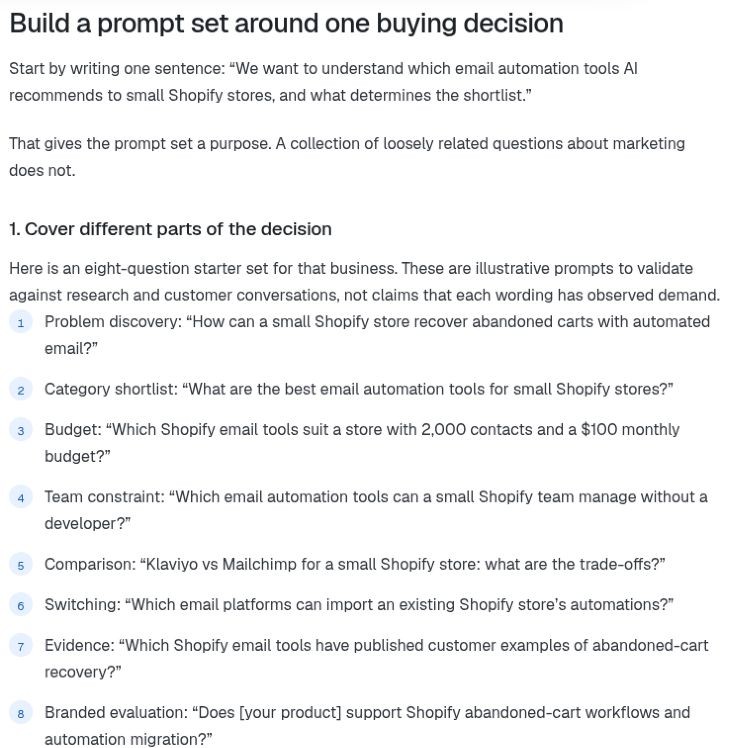
We also fetched the public URL and inspected the initial response. It returned HTTP 200, declared that same article URL as canonical and included the Shopify abandoned-cart question in the HTML. The response had no X-Robots-Tag header.
That tells us something useful about this page: the prompt example is available as text in the initial response, alongside the version people see in the browser.
For your product page, choose an equally specific test. Can you find “Shopify” and the supported integration details in the response, or only the shell of a configurator? If the essential answer is missing, ask your developer to make it available as public page text. Server rendering or static generation may help, depending on the application.
Use Search Console separately to check Google’s indexed version. The browser and response inspection answer the access-and-content question; URL Inspection answers the indexing question.
5. Give the maintained version a clear address
Old URLs have a habit of staying useful to someone.
A comparison may exist at an old slug, a newer slug and a campaign URL. One page describes the current integration. Another still says it is coming soon. Internal links point to both.
Now the technical issue and the editorial issue reinforce each other: the site offers several versions of the same answer.
Make the preferred page clear through consistent internal links, redirects where appropriate, sitemap entries and canonical tags. Google’s canonicalization guidance (opens in a new tab) explains how those signals work.
Then check the linked content itself. A current pricing page cannot resolve an outdated limit that is still stated on a maintained comparison page.
This is also a good reason to improve internal links from relevant articles. A useful explanation buried behind a search box is harder to discover than one linked naturally from the topic it supports.
Keep a working URL when it already serves the right purpose. The important work is connecting and maintaining the page buyers need.
6. Make the facts agree with the markup
Structured data is useful when it describes the page accurately.
It becomes a distraction when a team adds every suggested schema type while leaving the visible product information vague. An Organization object cannot explain which imports your migration tool supports. A Product object cannot repair a price that disagrees with the page.
Start with the facts a visitor can read. Check the product description, price, availability, author and dates wherever they apply. Then make the markup agree with those details.
Google’s structured data policies (opens in a new tab) are a useful reference for that relationship.
Milya Kotlyarova makes the content priority clear in her research on the pages cited by ChatGPT and Google AI Overviews (opens in a new tab):
“Give every service or product its own page with direct answers.”
— Milya Kotlyarova.
The technical setup should help those answers travel. The page still needs to say what the product does, who it serves and what evidence supports the explanation.
Our content optimization guide (opens in a new tab) covers that next layer.
7. Turn the finding into a fix you can check
A useful technical finding has a small, concrete shape.
“The integration page sends signed-out visitors to login” is actionable. So is “the migration table is missing from the initial HTML.” The developer can reproduce the issue, make the change and show you the result.
In ZeroRank’s optimization tools (opens in a new tab), Technical recommendations bring several checks together so you can identify issues worth investigating.
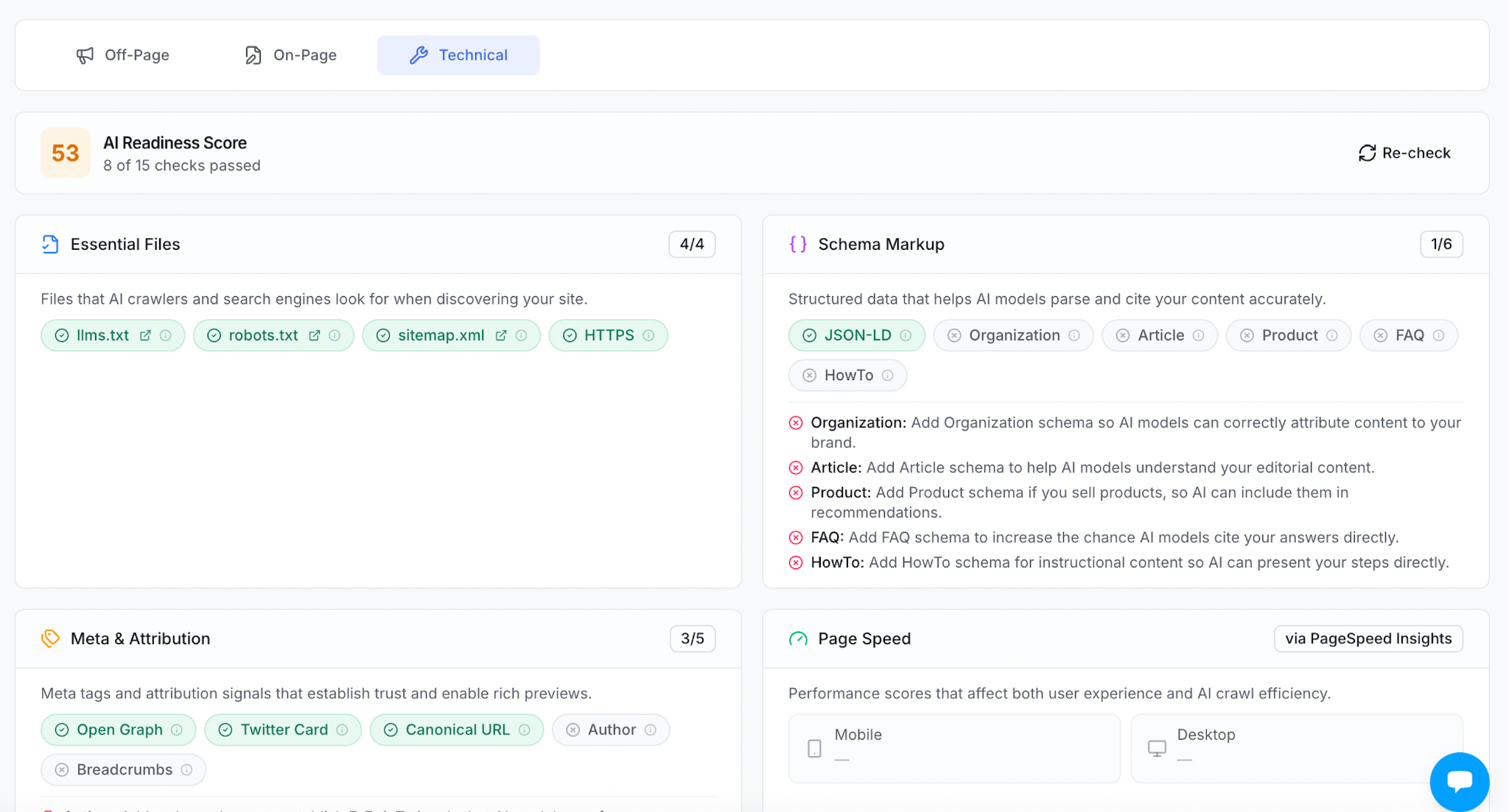
Choose the recommendation that matches a problem on an important page. Include the URL, what happened, what should happen and the person responsible for the fix.
For file checks, open the response. A server can return 200 for a sitemap URL while serving the website’s homepage. The status is successful, but the sitemap is missing. The fix is to serve the XML at the correct route.
The same discipline keeps an audit manageable: fix the broken response, missing text or conflicting directive you can point to.
After the fix, return to the buying question
First check the page. Does the public URL now load? Can you read the missing information? Does the relevant inspection tool show the intended result?
Then return to the questions that made the page important.
Track those questions in ZeroRank, keep the market and platforms consistent and inspect the cited sources over time. Record when the fix went live so you can compare the answers before and after it.
If the page is accessible but competitors still supply the answer, inspect what their pages explain better. Our AI citation gap analysis guide (opens in a new tab) shows how to turn that comparison into content work.
Technical SEO gives useful content a working route into search. Start with the page buyers need most, remove the barrier you find and follow what happens in the answers.
Start your AI search analysis with ZeroRank to find the questions and pages worth investigating.
Filed under AI Search EducationAI search
Keep reading
All posts AI Search Education
AI Prompt Volume: Which Questions Are Worth Tracking?
Learn what AI prompt volume means, build a prompt set around real buyer decisions, and turn the answers into specific content improvements.

 AI Search Education
24 AI Search Statistics for 2026: Clicks, Citations and Buying Behavior
From search-result behavior to retail conversions, these 24 AI search statistics connect 2025–2026 research with practical marketing decisions. See what to track, how to evaluate citations, and where ZeroRank fits into the workflow.
 AI Search Education
AI Search Analytics: What to Track and How to Use the Data
Learn how to use AI search analytics to track visibility, research prompts, analyze sources, and turn your findings into practical improvements.