19 Sep 2026Improvement
Sort your prompts by name
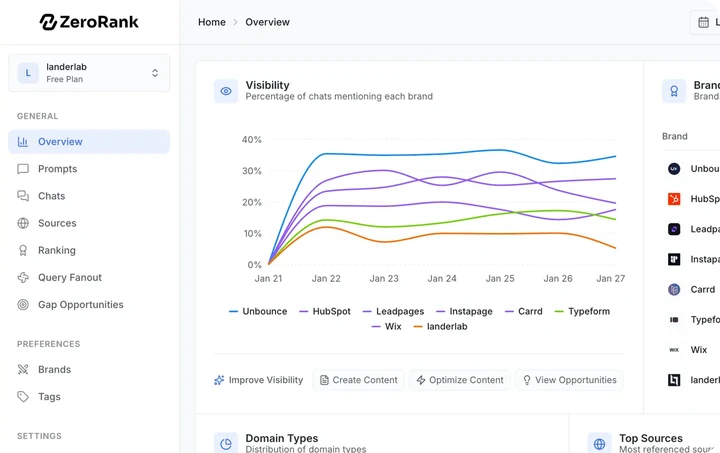
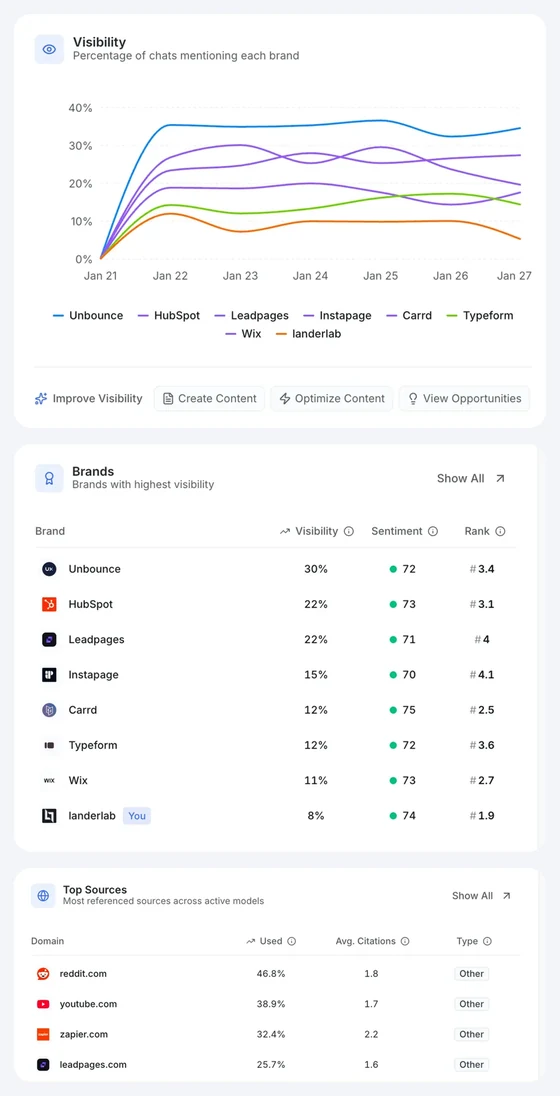
The Prompt column on the Prompts page is now sortable, the same way Visibility, Sentiment and Rank already were. One click orders your topics — and the prompts inside each of them — A→Z, a second click flips to Z→A, and a third puts the page back to its default order.
Numbering is read the way you write it, so topics named 1.1, 1.2, 1.10, 2.1 come out in exactly that order instead of sorting 1.10 before 1.2. Prompts that aren't in a topic stay at the bottom.
We also stopped the search box from outliving the visit it was typed in. A search from days ago used to still be sitting there on your next visit, quietly hiding most of your prompts with nothing on screen to explain why. It now lasts only as long as you're using it, the box is highlighted while it is filtering, and a × clears it in one click.
14 Sep 2026Feature
ZeroRank in Ukrainian
Українська (Ukrainian) is now a full UI language — our 14th. Pick it from the language menu (sidebar → your account → Language, or the language button on the sign-in page) and the whole app switches: Overview, Prompts, Prompt Research, Brands, Sources, AI Traffic, Reports, Workflows, Copilot, Settings, and onboarding, plus the interface of the public roadmap and changelog pages. Browsers set to Ukrainian get it automatically on first visit.
Ukrainian is also available as a report language for shared dashboards: choose it in the Share dialog and the public link (including its password gate) renders in Ukrainian, and the emailed report goes out in Ukrainian too.
As with every UI language, this covers the ZeroRank interface — the language of your tracked prompts and AI answers is still set by your workspace's location and prompt settings. Ukrainian joins English, German, French, Spanish, Italian, Portuguese, Japanese, Chinese, Dutch, Polish, Swedish, Turkish and Korean.
12 Sep 2026Improvement
Claude Sonnet 5 replaces Sonnet 4.6
The Claude engine you track is now Claude Sonnet 5, Anthropic's current mid-tier model. There is nothing to turn on: if you had Claude enabled, your prompts move to Sonnet 5 on their next run, at the same cost per check.
Claude Sonnet 5 is also selectable in the workflow builder's LLM step. Nodes you already saved keep the exact model you picked, and Sonnet 4.5 and 4.6 are still selectable there, marked as legacy.
One thing worth knowing if you look back at older data: answers are stored against "Claude", not against a version number. Every Claude answer captured before this update was produced by Sonnet 4.6 — those now display under the Sonnet 5 label. The answers themselves are unchanged; only the name shown beside them is. And because Sonnet 5 is genuinely a different model, your Claude numbers may step slightly from this week on: that shift is the model change, not a change in how you rank.
29 Aug 2026Feature
Copilot is now a conversation
Copilot is a conversation now, and it answers from your own data. Ask it why a competitor is winning a prompt, which sites cite them but not you, or what is holding your pages back technically — it goes and reads your visibility, your tracked answers, your sources and your technical audit before replying, and tells you where each number came from.
It opens on the highest-priority things we have detected for your workspace, so there is always somewhere to start.
Copilot can also act, not just advise. If it proposes tracking new prompts or drafting an outreach pitch, it stops and shows you exactly what it is about to do — right there in the conversation — and nothing runs until you approve it.
The opportunity feed you already know sits in a panel beside the thread, together with anything waiting on your approval — so the next thing worth doing stays visible while you are still talking about the last one. You can collapse it when you want the width.
Tools, for connecting your own MCP servers, is in the header.
20 Aug 2026Feature
Earn free answer runs for a review or a follow
There's a new Earn credits page (in the sidebar, and linked from Settings → Billing) where you can claim free answer-run credits for leaving a public review of ZeroRank on G2 or Trustpilot — or for following us on LinkedIn or X.
Write the review (or hit follow), paste the link back into ZeroRank — optionally with a screenshot — and once we've checked it's yours, the credits land on your organization. You can claim once per site, so they stack up. Credits never expire and are spent automatically once your monthly answer-run budget runs out, so they sit there as a buffer until you need them.
To be explicit about it: you get the credits for an honest review, whatever it says. We don't ask for a particular rating, and a claim is only ever declined because we couldn't verify the review is real and yours — never because of what's in it.
18 Aug 2026Feature
Choose how often prompts run — daily, weekly, monthly, or manual
Tracking Cadence in Settings → Workspace now has four options instead of two, on every plan:
- Daily and weekly work exactly as before.
- Monthly runs each prompt every 30 days — a rolling window, not the calendar month — for workspaces that only need a periodic pulse and want to stretch their answer-run budget.
- Manual switches scheduled runs off entirely. Prompts refresh only when you run them — Manually run all on the Prompts page, Run now on a prompt, or the API / MCP run endpoints — so you decide when answer runs are spent. (New prompts still run once when you create them — as do prompts you re-activate or accept from suggestions.)
The cadence is per workspace, so an agency can keep one client on daily tracking and another on manual. On a manual workspace the Prompts page shows a small "Manual tracking" hint next to Manually run all (on wider screens), and the "Run now" tooltip on a prompt now reflects your workspace's actual cadence — it previously showed your plan's default even after you'd changed it.
Charts stay honest at slower cadences: the visibility chart's carry-forward now looks back far enough for monthly and manual workspaces — up to 60 days before your selected range — so the days between runs keep the last run's values instead of dropping to zero.
18 Aug 2026Feature
ZeroRank in Korean
한국어 (Korean) is now a full UI language — our 13th. Pick it from the language menu (sidebar → your account → Language, or the language button on the sign-in page) and the whole app switches: Overview, Prompts, Prompt Research, Brands, Sources, AI Traffic, Reports, Workflows, Settings, and onboarding, plus the interface of the public roadmap and changelog pages. Browsers set to Korean get it automatically on first visit.
Korean is also available as a report language for shared dashboards: choose it in the Share dialog and the public link (including its password gate) renders in Korean, and the emailed report goes out in Korean too.
As with every UI language, this covers the ZeroRank interface — the language of your tracked prompts and AI answers is still set by your workspace's location and prompt settings. Korean joins English, German, French, Spanish, Italian, Portuguese, Japanese, Chinese, Dutch, Polish, Swedish and Turkish.
18 Aug 2026Fix
Roadmap upvotes work now — please vote again
Upvoting an idea on the public roadmap had been failing with an error since the roadmap launched: clicks were never saved, counts stayed at zero, and voting didn't subscribe you to updates on the idea as it was meant to. That's fixed — sign in and click the arrow on any idea in Planned, In Progress or Completed to upvote (click again to remove it), and you'll automatically follow the idea — you'll get an email when its status changes or when someone comments, including the team (unless you've unsubscribed from that idea before; every email has a one-click unsubscribe).
Because no vote ever went through before today, every idea starts from zero — if you tried to upvote something before August 18, please vote again.
5 Aug 2026FixImprovement
Technical analysis — accurate on protected, throttled and hard-to-reach sites
A follow-up to July's bot-protection work, driven by customer reports of files and schema wrongly flagged on the Technical Analysis page. Results update the next time your analysis runs — hit Re-check to see them now.
- No more false "missing" sitemap.xml. On sites where our checks have to go through the scraping proxy, the three essential-file checks fired at once, tripped the proxy's rate limit, and its "Too many requests" reply was read as the file's content — so
sitemap.xml (usually the last check) showed a red X while llms.txt and robots.txt passed. Checks now run one at a time, throttling is recognized and retried, and a check that never gets a real answer shows as "couldn't verify" (excluded from the score) rather than as missing. - Blocked no longer means missing. Previously the first proxy route that returned an unexpected page could settle the verdict; now every proxy route gets a turn — including a new residential-network fallback that gets through Akamai-class protection (common on hosted car-dealership platforms, for example) — before anything is marked missing.
- More sitemap formats recognized. Sitemaps with a namespaced root element (
<ns0:urlset …>, common from Python generators) and sitemaps that can only be fetched through the browser-rendering fallback are now detected correctly. - Sites whose bare domain is dead or refuses connections while www serves the site (or the reverse). We now probe both hosts and analyze the one that actually responds. Previously every check cascaded: files marked missing (or, worse, marked present off a proxy error message), zero pages crawled, no PageSpeed data.
- Schema and meta checks on sites that block non-browser visitors. Some hosting platforms answer scrapers with a bare "Forbidden" page, and we were analyzing that page — scoring a fully marked-up site as having no JSON-LD, Open Graph, canonical, author or breadcrumbs. Pages are now fetched like a browser first, bare denial pages are recognized as blocks, blocked pages get the residential fallback (up to 5 per analysis), and if nothing can be crawled the schema and meta checks show "couldn't verify" instead of a column of red X's.
- Long analyses no longer end in "last check failed." A slow site could complete its analysis and then fail to save it because the database connection had timed out; the save is now retried.
2 Aug 2026Improvement
Content briefs and drafts now written by Claude Sonnet 5
The AI content pipeline got a model refresh. The two writing steps — the content brief and the final draft — now run on Claude Sonnet 5, Anthropic's newest Sonnet model, at the same ~1,500-word target and formatting. The intermediate research-summary, analysis, outline and metadata steps (and the "Compare Top Cited Pages" step in Content Optimization) moved to a lighter model that skips extended reasoning, so generations should also complete sooner. The scoring steps that produce your AEO recommendations are unchanged.
If your content runs on your own API key, we request the same models through your gateway; gateways that don't offer them serve their closest available model instead.
29 Jul 2026FixImprovement
Fixes — scheduled runs, charts, dates, topics, Google connections, API usage
- Scheduled runs no longer queue behind answer processing. Nightly runs were dispatched onto the same queue that ingests scraped answers, so on busy nights prompts could sit in "Processing data.." for a long time. Scheduled runs now use their own queue.
- Deactivating a prompt cancels its pending run. If you paused a prompt after it had been queued, it still ran and still used answer runs. Runs now re-check the prompt at execution time and skip anything that's no longer active — nothing is reserved or scraped. (A run already in flight still completes.)
- The visibility chart no longer goes blank between runs. Switching a workspace from weekly to daily tracking, or opening a short range like "Last 7 days" that fell between two weekly runs, could show a flat zero — or an entirely empty chart — even though "Last 30 days" had data. The chart now carries the last run's values forward on every cadence and looks back at least two weeks (two cadence periods) before your range to find them.
- Chart dates west of UTC. Day labels on charts were parsed as UTC midnight, so viewers in the Americas saw every point one day early. Fixed on the Overview, prompt, source and report charts.
- "Last 7 / 14 / 30 days" are now whole calendar days. Presets used to be rolling windows ending at the current moment — "Last 7 days" covered 7×24 hours touching parts of 8 calendar dates — and the chart and the sources and recent-chats widgets could disagree about whether today's run was inside the range. Those widgets now share the same day-aligned boundaries, so the numbers line up. (You may notice small differences from before. And a saved "Custom" range with no dates picked no longer breaks the page — it falls back to the default window.)
- Re-adding a topic by an existing name works. Deactivating a topic hides it from the Active tab but keeps it, so adding a topic with the same name again failed with a raw database error. Topic creation now reuses the existing topic (case-insensitively) and continues — in the app and via
POST /api/v1/topics — and any remaining duplicate-name conflict returns a clean 409 instead of a 500. - Google Analytics / Search Console connections. Connecting could fail on Google's side with a "redirect_uri_mismatch" error — fixed. And Google now always shows its account chooser, so you can pick the account that owns the property instead of whichever one your browser happens to be signed into.
- New API endpoint:
GET /api/v1/usage. Returns your organization's answer-run budget for the current period (used, limit, remaining, credits, and the period's start date) plus every tracked model with its per-run weight and whether it's enabled in the key's workspace — so integrations can budget bulk prompt creation without reverse-engineering the counter. - AppSumo: the limit-reached dialog no longer describes prompt researches as "(one-time)" — they reset monthly on every plan.
- Model pickers on every plan now show not-yet-enabled models at full strength — no longer dimmed — with a neutral Enable pill instead of a paywall-looking row.
28 Jul 2026ImprovementFix
Brand detection — only real mentions, no guessed domains, no junk brands
A deep rework of how AI answers are turned into brand mentions and how new competitors get created. The new extraction rules apply to answers processed from July 28 onward — historical answers are not re-processed. (One retroactive change, the junk-brand sweep, is described below.)
- A mention only counts if the brand is actually in the answer. The extraction model's output is now verified against the answer text: a brand is credited only when one of its tracked names (or its regex) literally appears. Matching is case-, accent- and hyphen-insensitive — "Coca-Cola" ≡ "Coca Cola", "Nestlé" ≡ "Nestle" — and word-aware, so "Nike" no longer matches inside a longer word. Mentions we can't verify aren't counted, instead of inflating visibility, mention counts, rank or sentiment; mention position and context now come from the real text. If your numbers were being inflated by phantom mentions, expect them to settle.
- No more AI-guessed domains. We no longer ask the model for a brand's website — that's where wrong logos and wrong domain matches came from. A newly detected competitor gets a domain only from real evidence: a cited source or hostname in the answer that clearly matches the name (blog.hubspot.com → hubspot.com; never "Best Buy" → best.com), a name that is itself a domain (Smartly.io), or an exact-name match in a public brand directory (Google Knowledge Graph, Wikidata and others). Otherwise the domain is left blank for you to fill in.
- Junk names aren't tracked as brands anymore. Generic words ("Best", "AI", "Tools"), placeholders ("Brand A", "N/A", "a third-party provider"), URLs, and names that only occur inside links are rejected before a competitor is created. A generic-word "brand" used to match nearly every answer, so these rows both polluted your data and ate into the 500 auto-detected competitor limit. We also swept existing workspaces and moved obvious junk to Not Tracking — if a real brand of yours was caught, resume it from the Not Tracking section (or track it again) and its history comes back.
- Unknown names wait for your approval. In Automatic detection mode, when the brand directories we check have no record of a new name and the answer offers no matching website, it lands in Detected Brands Awaiting Approval rather than being tracked immediately. Names the directory recognizes are tracked right away as before; Manual approval mode is unchanged. (If the directory check can't complete, we keep the previous behavior and track the name right away.)
- Not Tracking means not tracking. Hidden brands are no longer picked up by the automatic answer scan that used to credit them on every new answer, and no longer count toward the 500 auto-detected competitor limit — so hiding junk frees room for genuinely new competitors. Tracking a brand whose name is currently hidden revives it (with its history) instead of failing with "already exists" — in the app, the API and MCP alike.
- Fewer false duplicates. A new competitor could be silently discarded as a duplicate of an existing brand whose domain merely contained its domain (x.com mistaken for already-tracked fox.com), so the new brand never appeared; domains now have to match exactly. Onboarding's competitor discovery likewise stopped trusting AI-guessed domains: a suggested competitor's domain (and its logo) now appears only when it clearly matches the company's name or a public brand directory confirms it — otherwise it's left blank.
- Empty answers no longer produce brand mentions, and very long answers with many brands are less likely to fail parsing.
28 Jul 2026Feature
Prompt Research — see what people really ask AI, then track it
The new Prompt Research page (in the sidebar under Analytics) turns any topic, competitor domain, or question into a list of prompt ideas worth tracking — built from real query data, not AI-invented guesses.
- Five real sources, zero hallucinated ideas. Google "People Also Ask" questions, related searches, a keyword database, keywords a researched domain ranks for, and — always included — real queries observed on AI platforms: questions actually asked on ChatGPT or triggering Google AI Overviews. Filter by source with one click.
- Measured volumes, honest gaps. Each idea shows its estimated monthly AI search volume — plus the Google volume where the keyword database measures one — with a 12-month trend sparkline where history exists. When no reliable data exists we show a dash instead of inventing a number. Every idea is also labeled as a keyword or a question with its dominant search intent — informational, navigational, commercial, or transactional — all included in the CSV export, and you can sort the table by AI volume or trend with a click.
- Your signals on every row. See where AI models already ran a query while answering your tracked prompts, your Google position for queries already among your site's top Search Console queries (with Search Console connected), and your current visibility for ideas you already track. The AI-usage and visibility signals follow the normal period/model/brand filters; the Search Console figure always reflects a recent window of the same length.
- Research a competitor's domain. Enter a domain like
competitor.com to see the keywords it ranks for and the AI questions whose answers surface it. - Research any market. A country picker next to the search box sets which market the ideas and volumes are pulled for — it starts from your workspace's location, resets with one click, and results show the country and language they were researched in.
- Act on it immediately. Track ideas as active prompts (one at a time or in bulk), queue them into your suggestions, preview how AI answers a query today — with your brand's and competitors' citations highlighted — drill deeper by re-running the research with any idea as the new seed (a drill-down counts as a new research), or export everything to CSV. Tracked prompts keep the exact volume estimate you saw on the research page.
- Every research is saved. Reload past sessions from History for free. Repeating the same search within 30 days returns the saved result instantly instead of re-running the data lookups (it still counts toward your monthly allowance), with a one-click Refresh to force a fresh run. You can also delete saved sessions and narrow History to the last 7, 30, or 90 days.
To power the Google-standing signals and personalized starting points, you can now connect Google Search Console in workspace settings — OAuth sign-in with a property picker that pre-selects your site.
Prompt Research is included in paid plans with a monthly allowance — from 15 researches/month on Starter up to 150/month on Enterprise (AppSumo tiers have their own allowances). The page ships in all 12 interface languages.
28 Jul 2026Feature
AI Traffic — measure the visits AI assistants send your site
Connect Google Analytics and ZeroRank shows you the traffic AI assistants actually send you — and ties it back to the AI answers that caused it.
- New AI Traffic page (sidebar → Analytics) covering ChatGPT, Perplexity, Gemini, Claude, Microsoft Copilot, Grok, DeepSeek, Mistral, Meta AI, and You.com: sessions, visitors, engagement, and conversions — each with change vs. the previous period — plus new vs. returning visitors and top countries.
- A funnel from answers to visits: Seen in AI answers → Visited from AI → Share of all traffic → Converted, plus a chart overlaying your AI visibility on AI sessions over time.
- Citation evidence built in. Landing pages show how often your tracked answers cite them — click the count for a sample of the citing prompts. Pages with AI visits but no citations are flagged so you know what to track next.
- "What to do next" ranks three action lanes from your citations joined with traffic: pages cited in AI answers that get no visits yet (capture demand), pages receiving AI visits that no tracked prompt cites (cover blind spots — with one-click prompt suggestions seeded from that page), and pages that are cited, visited, and converting (double down). Pages in the table and in these lanes also carry an Optimize action that opens the AI Content Optimizer with the page's URL pre-filled.
- Platform focus. With two or more platforms, click one to overlay its trend on the chart and filter the landing-pages table to the pages it sends visitors to; the per-platform breakdown includes auto-generated plain-language insights.
- Client reports. A new opt-in AI Traffic section for shared dashboards — turn it on per share link in the Share Dashboard dialog. It also appears on your Reports page and its PDF export whenever Google Analytics is connected.
- API access.
GET /api/v1/ai-traffic returns the full report for API-key clients.
We're upfront about measurement limits, right in the product: Google reports AI Overviews clicks as regular organic traffic and Copilot referrals as bing.com, so AI traffic is a lower bound — and Google Analytics data can lag up to 48 hours. The page ships in all 12 interface languages.
28 Jul 2026FeatureImprovement
AI search volumes on your prompts and suggestions
You can now see how often each prompt is actually asked in AI tools — and the suggestion engine got noticeably smarter.
- New "AI Volume" column on the Prompts table: the measured monthly AI search volume for each prompt's exact phrasing (shown as "~1.2K/mo"). Editing a prompt's text or location refreshes its estimate. Volumes for existing prompts fill in automatically in the background after this release.
- Suggested prompts carry a volume badge ("~500/mo in AI search") and, within each topic, suggestions are now ordered by volume, so the ideas people actually ask most come first.
- Rejected suggestions are now a negative signal. The generator now sees your recent rejections and avoids prompts with similar themes, so rejecting something makes it much less likely to come back.
- Per-topic "Suggest more" stays on topic. Generating suggestions for a specific topic now treats the topic as the subject instead of drifting back to your brand's overall category.
- Topics with no prompts no longer appear on the Active prompts tab.
28 Jul 2026ImprovementFix
Prompt management — row actions and faster, safer bulk edits
Managing a big prompt list got quicker and less nerve-wracking.
- Actions on every row. Each prompt on the Prompts page now has a three-dots menu — change its topic, deactivate an active prompt, or activate or delete an inactive one — no need to select anything first. The topic picker lives in that menu now, and revealing the actions no longer nudges the table columns.
- Bulk deactivate and delete no longer give up halfway. Large selections now go out in batched requests instead of one per prompt, so they're much faster — and one problem prompt can't strand the rest. The confirmation reports exactly how many went through, any failures are reported separately, and prompts that didn't go through stay selected so you can retry them.
- Deleting a topic keeps your inactive prompts. You can now delete any topic that has no active prompts — its paused and draft prompts are kept, along with all their history, and simply moved out of the topic (the menu tells you how many), while unreviewed suggestions are cleared away with it.
28 Jul 2026Improvement
MCP and API setup get their own pages
The MCP connection and REST API keys moved out of the bottom of workspace settings into a dedicated Developer section in the sidebar.
- MCP page: copy-paste setup for Claude Code, Claude Desktop, and — new — Cursor, plus the raw streamable-HTTP endpoint for any other remote MCP client, with a link to the MCP docs.
- API page: create, scope (read-only or write), expire, and revoke
zr_live_… keys, with a quick-reference example and a docs link that's visible to every member. - The sidebar was reorganized around it: a new Developer group (MCP, API) and a leaner Settings group — organization settings are now one entry instead of four.
28 Jul 2026FixImprovement
Fixes and polish across the app
- API errors now report what actually went wrong. A bug made many errors surface as a generic 500 "unknown error" even when the real cause was a 404 (not found), 409 (conflict), or 403 (forbidden). API and MCP clients now get the correct status and error code, so integrations can react to the actual cause instead of treating every failure as a server error.
- Integrations no longer require an active subscription to manage. Connecting or fixing an integration mid-OAuth no longer dead-ends for organizations whose subscription lapsed, and OAuth connections now verify your workspace access before attaching.
- Onboarding is unblockable. If topic generation fails you can now add your own topics and continue, and duplicate topic names no longer abort onboarding with an error. We also fixed an onboarding edge-case bug.
- A more truthful visibility chart. When no prompt filter is applied, the chart now counts only prompts that are currently active, so a one-off run of prompts you later paused can't dilute your visibility or drop a day to zero. And on weekly and other multi-day cadences, short date ranges that start between runs now carry the last measured value forward instead of opening at zero.
- Zooming in no longer locks you out. The "use a desktop" screen now appears only on actual touch devices with small screens, so increasing your browser zoom or working in a narrow window keeps you in the full app.
- Workspace names made only of spaces are rejected when creating or renaming a workspace, instead of being saved as an empty name.
- UI polish: dropdown submenus (like the language picker) now highlight like the rest of the menu, "Add tags" / "Set topic" placeholders no longer wrap in narrow tables, and model pickers say Enable instead of "Upgrade" for models you can turn on in workspace settings.
22 Jul 2026Feature
MCP server can now manage your workspace — not just read it
The ZeroRank MCP server now supports write tools, so AI clients like Claude can manage your workspace, not just read it:
- Prompts: create, edit, pause/resume, delete, and trigger on-demand runs (runs consume your monthly answer-run allowance, and the tools tell the AI how much budget is left after each call).
- Tags & topics: create, rename, delete, and organize prompts.
- Brands: add competitors, edit tracking (aliases, domains), and approve or reject suggested brands.
- Full answer analysis: a new
get_chat tool returns the complete text of any AI answer with its cited sources, so your AI client can analyze what models actually said — a frequent request.
Safety was built in from the start: every call is still authorized against your workspace membership, deletes require an explicit confirmation parameter, and per-user rate limits keep a runaway AI loop from burning your answer-run budget.
Existing MCP connections pick up the new tools automatically — no reconnection needed. The consent screen for new connections now spells out the write access before granting it.
22 Jul 2026FixImprovement
Technical analysis now sees through bot protection
If your site sits behind bot protection (Akamai, Cloudflare, and similar — common on hosted platforms like car-dealership sites), the Technical Analysis page could report your llms.txt, robots.txt, and sitemap.xml as "missing" even when they exist, because the protection blocked our checker rather than the files being absent. That's fixed.
- File checks now verify like a real visitor. When a direct check is blocked, we retry through our scraping infrastructure — including a full browser rendering pass — so files on protected sites are correctly detected and linked.
- Checks read the file, not just the status code. Sites that answer
/llms.txt or /sitemap.xml with an HTML page (a soft 404 or the app's shell) used to count as having the file. We now require real content — plain text for llms.txt and robots.txt, an actual sitemap document for sitemap.xml — so a check that was passing for the wrong reason will now correctly show as missing, which can dip an AI Readiness Score on the next re-check. - A new "couldn't verify" state. If every attempt is blocked, the check shows an amber shield instead of a red X, and is excluded from your AI Readiness Score rather than counted as a fail. The score header notes how many checks couldn't be verified — on both the Technical page and shared client reports, in all 12 languages.
- Deeper crawls on protected sites. Page selection for schema checks now uses your sitemap even when bot protection blocks direct access, so schema and meta results reflect your real pages instead of just the homepage. Blocked pages are no longer mistaken for pages without schema.
- More reliable PageSpeed results. Speed checks now retry when Google's API is rate-limited and say so explicitly instead of showing a generic "no data" note.
16 Jul 2026Fix
More accurate brand mentions — inflated data fixed and cleaned up
We fixed a bug, introduced on July 13, where answer analysis could mark your brand — or a tracked competitor — as "mentioned" even when it didn't actually appear in the answer. In some workspaces this inflated visibility scores and mention counts between July 13 and the morning of July 16.
- We rolled back the July 13 change that caused it, so brand detection is back to its normal accuracy and chat pages, prompt mentions, and Overview charts reflect real results again.
- Incorrect mention events recorded during the affected window were removed from historical data, so charts for those dates now show accurate values.
- An automated regression test now keeps answer analysis brand-neutral, so this specific bug can't be reintroduced.
13 Jul 2026FeatureImprovement
Approve new brands before they're tracked
You're now in control of which auto-detected brands make it into your dashboard.
- New Brand Detection setting in workspace settings: keep Automatic (newly detected brands are tracked immediately, as before) or switch to Manual approval, where they wait for your review first.
- In Manual mode, detected brands appear in a "Detected Brands Awaiting Approval" banner on the Brands page, sorted by relevancy, with Approve / Reject on each — or Approve all / Reject all in one click.
- No data gap. Mentions keep recording while a brand awaits approval, so the moment you approve it, its full visibility history appears instantly. Rejected brands move to "Not tracking" and can be resumed anytime.
- Brands awaiting approval stay out of filters, merge options, competitor lists, and the API until you approve them.
Automatic detection also got cleaner: platforms and sources like YouTube, Reddit, or Wikipedia are now excluded from brand detection, and placeholder websites (like example.com) are never invented for detected brands.
13 Jul 2026Feature
Client reports with AI-visibility recommendations — in their language
Shared dashboards and emailed reports can now do more than show numbers — they can tell your clients what to do next.
- Three new optional report sections, toggled per share link in the Share Dashboard dialog: AI Readiness (technical checks like
llms.txt, robots.txt, structured data, and page speed with an overall score), On-Page Opportunities (top content opportunities plus the themes, domains, and pages AI answers cite most), and Off-Page Opportunities. They're off by default, so existing client reports don't change until you enable them. - Pick a language per share link. The public report page, emailed reports, and link previews can be pinned to any of the 12 supported languages — or set to Auto to match each viewer's location and browser language (emailed reports fall back to English on Auto). New links default to your own platform language.
13 Jul 2026ImprovementFix
Smoother prompt import & management
- Smarter bulk & CSV import. Your workspace's geographic location now pre-fills the default prompt location, CSV files accept full country names (like "Germany") as well as two-letter codes, the location and topic pickers act as defaults for rows that don't set their own, and picked tags are added to every imported row.
- Assign topics inline. Hover any row on the Prompts page to assign — or create — a topic right there.
- Deleted prompts clean up after themselves. They no longer linger as "Prompt 123" in the chat explorer, and their analytics data is removed when the prompt is deleted.
13 Jul 2026Feature
Public API: full AI answers with their sources
The REST API can now return everything about a single AI answer. Call GET /api/v1/chats/:id with any chat ID from the chats list to get:
- The full answer text, the original prompt, which AI model answered, location, status, and timestamp.
- A numbered list of every source behind the answer — URL, domain, domain type (editorial, UGC, …), and URL type — ready to pipe into your own reports and dashboards.
- Whether web search was used, plus a source count at a glance.
Perfect for agencies building custom reporting on top of ZeroRank. Uses your existing API key.
9 Jul 2026Feature
AppSumo Tier 7 — our biggest lifetime deal yet
By popular demand, a new top AppSumo tier for agencies managing many client brands:
- 28,800 AI answer checks per month and up to 100 workspaces.
- 160 article generations and 160 content optimizations (one-time).
- Shareable white-label dashboards and the highest API rate limits.
Alongside this, Starter, Pro, and every AppSumo tier now include Email + Live Support — previously the lower tiers had email-only support.
1 Jul 2026Fix
Fixed API key creation
Creating an API key from Workspace Settings → API Access failed with a server error right after the REST API launch — that's fixed, so you can generate keys and connect to the public API.
30 Jun 2026Feature
Use ZeroRank in your language — now in 12 languages
The ZeroRank interface is now available in 12 languages. Pick yours from the new language switcher in the sidebar — or right on the sign-in screen before you log in — and the app switches instantly.
Alongside English, you can now use ZeroRank in:
- Deutsch (German), Français (French), Español (Spanish), Italiano (Italian), and Português (Portuguese).
- Nederlands (Dutch), Polski (Polish), Svenska (Swedish), and Türkçe (Turkish).
- 日本語 (Japanese) and 简体中文 (Simplified Chinese).
Your language is remembered across sessions, and anything not yet translated falls back to English so you're never left with a blank label.
29 Jun 2026FeatureImprovement
Unlimited prompts and AI models — one simple monthly limit
We've simplified how usage works. Your plan no longer has separate caps on prompts and AI models — instead there's a single monthly budget: answer runs.
- Unlimited prompts. Track as many prompts as you like on any paid plan — the old per-plan prompt limits are gone.
- Unlimited AI models. Turn on any tracked model from Workspace → AI Models — there are no more model slots to buy before adding one.
- One monthly budget — answer runs. Each time a prompt runs against a model it draws from your monthly answer-run budget. A standard answer costs one run; premium models (like Claude and GPT-5) cost a bit more per run. You can watch your usage on the Billing page.
- Daily or weekly tracking. Choose how often each workspace's prompts refresh — daily for the freshest data, or weekly to stretch your answer-run budget across more prompts. Set it per workspace in Settings → Workspace.
- Top up anytime. Running low before your month resets? Buy extra answer runs as a one-time purchase — they never expire and are only used once your monthly budget runs out.
Available on all paid plans and every AppSumo tier. Top-ups work for both Stripe and AppSumo accounts.
29 Jun 2026Feature
Track 10 more AI models and answer engines
A big expansion of what you can track — turn any of these on from Workspace → AI Models, right alongside ChatGPT, Perplexity, and the rest.
Five more AI models — what each says about your brand, answered from its own knowledge:
- Qwen 3.7 Max, DeepSeek V3, Llama 4 Maverick (Meta), and Claude Sonnet 4.6.
- GPT-5 Search — GPT-5's answer with live web search, including the sources it cites.
Five more answer engines — each surfacing the brands, sources, and citations in its own AI answers:
- ChatGPT Web Search — ChatGPT answering with live web search and citations, alongside the standard ChatGPT model.
- Brave — Brave's AI answers (Leo).
- Naver — the leading Korean search engine's AI Overview.
- DuckDuckGo — DuckDuckGo's Search Assist AI answers.
- Baidu — the leading Chinese search engine's AI Overview.
These add a fuller picture of where you appear, including major non-US engines like Naver and Baidu. They're off by default, and the most advanced models and the search engines use more of your monthly answer runs per check, so we'll ask you to confirm before turning one on.
29 Jun 2026Feature
Refresh your prompts on demand
You no longer have to wait for the next scheduled run to get fresh AI answers.
- Run now — on any active prompt, re-run it across your enabled AI models right away. New answers land within a few minutes.
- Run all — on the Prompts page, refresh every active prompt at once, after a quick confirmation showing how many will run.
Each on-demand run counts against your monthly answer runs. Especially handy if your plan refreshes weekly and you want an update between cycles.
29 Jun 2026Feature
Automate ZeroRank with the new REST API
Build on top of ZeroRank programmatically. Create API keys in Workspace Settings → API Access and call our new REST API from your own scripts, servers, and tools.
- Scoped keys. Give each key read-only or read + write access and an optional expiry. The full key is shown once at creation, so copy it right away.
- Manage your data over the API. Create, update, delete, and run prompts (individually or in bulk), manage tags, topics, and brands, and read your top sources, source URLs, recent AI answers, and brand rankings.
- Revoke anytime. List your active keys with their last-used date and revoke any of them instantly.
Available on all paid plans, with per-minute rate limits that scale with your plan. Organization owners and admins manage keys.
29 Jun 2026Feature
Give clients access to a single workspace
Agencies can now invite a client into just one workspace — without giving them the run of your whole account. Open a workspace's Settings, find the new Workspace Members card, and invite a client by email.
- Clients see only that workspace — never your other workspaces, your other clients, or your organization settings and billing.
- They don't use a team seat. To give someone access to every workspace, invite them as an organization member instead.
- Manage access from the same card — resend or cancel pending invites, or remove a client anytime.
Available to organization owners and admins on any paid plan.
29 Jun 2026Feature
Email branded visibility reports to your clients
Send branded visibility reports straight to your clients' inboxes — on demand or on a recurring schedule — from your own email address.
- Send from your own mailbox. In Organization settings, connect your own SMTP server under the new Report Email Sending card, then verify it with a test email. Reports go out from your domain, not ours.
- Schedule per dashboard. In the Share dashboard dialog, add the client emails that should receive a report, pick a daily, weekly, or monthly cadence (or just Send now), and set an optional subject line.
- On-brand and hands-off. Each email carries your logo and accent color, summarizes the last 30 days, links to the live dashboard, and includes a one-click unsubscribe. Recent delivery history shows right in the dialog.
Available on white-label plans — Pro and AppSumo Tier 3 and above.
29 Jun 2026FeatureImprovement
Bring your own key — now with a choice of gateways
Bring your own key is no longer OpenRouter-only. On Settings → Billing, the "Bring your own key" card now lets you choose which gateway your content runs go through:
- Pick a preset — OpenRouter, Requesty, Glama, Vercel AI Gateway, or AI/ML API, each with a quick "Get a key" link.
- Or bring your own gateway — point it at any OpenAI-compatible endpoint with your own base URL and model.
- Test before you save — verify your key and gateway with one click.
However you connect, your content generation and optimization runs are billed to your own account with no monthly limit. Available on AppSumo Tier 3 and above.
29 Jun 2026FeatureImprovement
Follow roadmap ideas and get email updates
Keep up with the ideas you care about on the public roadmap without checking back.
- Follow any idea to get an email when it moves forward — when we add it to the roadmap, change its status, or reply in the discussion.
- You're automatically following any idea you submit, vote on, or comment on.
- Unsubscribe from any single idea anytime — from the idea itself or the one-click link in any email.
- Track your own ideas and their status under Your submissions, and search the roadmap to find ideas fast.
Following is available to everyone with a ZeroRank account.
25 Jun 2026Feature
Public roadmap & changelog
You can now see what we're building on the new public roadmap — vote on the ideas that matter to you, drop a comment, and submit your own feature requests. This changelog is where we'll post everything we ship.
25 Jun 2026Feature
Connect ZeroRank to Claude — now account-wide
Our MCP connection lets AI assistants like Claude read your ZeroRank data, and it just got much easier to use:
- One connection for your whole account. Authorize once and choose the workspace per request instead of connecting workspace-by-workspace. A new discovery tool lists every workspace you can access (each still protected by your membership and an active subscription).
- Works with Claude Desktop and Claude.ai. We fixed the cross-origin and OAuth-callback issues that previously stopped remote clients from completing the connection, and the in-app setup card now points Claude Desktop users to the right place.
25 Jun 2026Feature
Redeem your AppSumo code inside the app
Bought ZeroRank on AppSumo but signed up without a redeem link? You can now activate your lifetime deal directly in the app — just paste your license key. A "Have an AppSumo code? Redeem it" option now appears on the payment screen and the expired-subscription screen, so you no longer get funneled into a Stripe trial by mistake.
24 Jun 2026Feature
Rebuilt Technical (LLM readiness) analysis
The Technical tab in Recommendations is now far more thorough at measuring how ready your site is for AI engines:
- Crawls up to ~15 pages from your sitemap to detect real Schema.org structured data (including Author and Article markup) — not just your homepage.
- Runs working PageSpeed Insights for accurate performance scores.
- Adds a new beta Agent Readiness score that checks
llms.txt, accessible markup, layout stability, machine-readable content, and emerging WebMCP tooling.
Results are cached and refresh in the background, with a manual refresh button whenever you want the latest.
22 Jun 2026Feature
Customize what your shared dashboards show
Tailor each public shareable dashboard to its audience. Drag to reorder the report sections — Summary, Monthly Trend, Prompt Breakdown, Visibility, Sentiment, Movers, Brand Rankings, Recent Chats — and toggle any of them off. Your layout is saved per share and reflected on the public report.
22 Jun 2026ImprovementFix
Sorting, attribution & usage improvements
- Sortable prompts table. Sort by Visibility, Sentiment, or Position; best performers surface first and prompts with no data yet sink to the bottom.
- Cleaner source attribution. Google redirect links are unwrapped to the real destination, Google-internal pages are dropped, and domains are normalized so the same site no longer shows up twice (e.g. "Reddit" and "reddit.com") across Sources and Top Sources.
- Org-wide prompt usage meter. The prompt-limit meter now reflects that your allowance is shared across every workspace in your organization, with a tooltip explaining the shared cap.
- Content editor. Copy and Export now act on whichever tab you're viewing (brief or final draft), and the AEO content score is shown only on the final draft, where it's meaningful.
- Bigger AppSumo limits across every lifetime-deal tier — more prompts, AI answers, article generations, content optimizations, and workspaces.
13 Jun 2026Feature
Merge duplicate brands
You can now merge duplicate brand entries into a single brand, with all historical mentions and metrics re-pointed to the survivor. A new Possible Duplicates banner automatically spots brands that look like the same company — same domain, similar name, or overlapping aliases — and lets you merge or dismiss each suggestion in one click.
12 Jun 2026Feature
Shareable client dashboards
Share a live, read-only version of your visibility dashboard via a public link — ideal for agencies reporting to clients.
- Password-protect links you don't want fully public.
- White-label them with your own logo, colors, and custom domain. On your domain, no ZeroRank branding shows; charts carry your mark instead.
- Viewers can click any AI answer to read the full question and response.
Available on all paid plans, with white-labeling on Pro and AppSumo Tier 3+.
12 Jun 2026ImprovementFix
Guided setup for new workspaces, plus fixes
- Add workspaces with the full guided flow — brand analysis, competitor rankings, region and language selection, and topic suggestions — instead of a bare "create workspace" dialog. Prompts are seeded automatically.
- On-page and off-page recommendations now honor your dashboard filters (date range, model, prompts) and no longer point you at your own domains.
- For plans that run prompts on a weekly cadence, the visibility chart now carries the last measured value across gap days instead of dropping to zero, for a cleaner trend line.
- Organization settings stay reachable after a subscription lapses, so you can re-subscribe or manage your team instead of being locked out.
10 Jun 2026Feature
Organizations: one subscription across workspaces
Billing now lives at the organization level, above your workspaces:
- One subscription (or AppSumo license) covers multiple workspaces that share a single usage pool.
- A new organization switcher in the sidebar and a redesigned Organization settings area (General, Members, Workspaces, Billing) let you manage members and invites org-wide and move workspaces between orgs.
- Bring your own key (BYOK). Higher tiers can add their own OpenRouter API key to run article generation and content optimization with no monthly limit.
- Top-ups. Buy one-time article-generation and content-optimization credits that never expire and are shared across the organization, plus extra AI model slots to track more answer engines.
7 Jun 2026Improvement
Faster in-app support
Our in-app help chat now runs on Crisp with verified-identity messaging, so reaching support from anywhere in the app — including the Getting Started page — is quicker and tied to your account.
1 Jun 2026Feature
AppSumo Lifetime Deal
ZeroRank is now available as an AppSumo lifetime deal. Redeem your code on a new activation page to claim your license, across six tiers that scale prompt tracking, monthly AI answers analyzed, and article/content credits. Onboarding respects your tier's prompt cap so it pre-selects the right number of topics from the start.
4 May 2026Feature
Partner Research API
A new authenticated Partner Research API gives approved research collaborators programmatic, paginated access to anonymized, cross-workspace data about how brands show up in AI answers — brand mentions in cited sources, sentiment correlations, chat bundles, and daily domain- and URL-type metrics. Secured with a partner API key and rate limited.
28 Apr 2026Feature
Visibility reports (PDF)
The new Reports section generates a polished, brand-level visibility report you can download as a PDF. It includes a KPI summary with period-over-period change badges, a 6-month visibility trend, a sentiment breakdown, a per-prompt performance table, and highlights of your biggest gains and drops.
8 Apr 2026Feature
Export charts & tables
Download your analytics. Charts and tables across Overview, Rankings, Sources, Gaps, and prompt detail now have an export button — save tables as CSV and charts as PNG images for sharing or reporting.
6 Apr 2026Feature
Connect AI tools with the ZeroRank MCP server
Connect AI tools like Claude Code and Claude Desktop straight to your ZeroRank workspace through a new read-only MCP server. After a one-click OAuth connection, assistants can pull your prompts, brands, chats, top sources, source URLs, and brand performance rankings. Connection details live in workspace settings.
1 Apr 2026Feature
Start a free trial without a credit card
Kick off your 7-day free trial instantly — no credit card required. A countdown banner shows how long your tracking data is retained, with a one-click "Keep my data" upgrade, and an in-app prompt makes it easy to subscribe once a trial or subscription expires.
26 Mar 2026Improvement
Bigger plan allowances
Every paid plan now includes significantly more usage at the same price — Starter to 50 tracked prompts and 4,500 AI answers analyzed per month, Pro to 150 prompts and 13,500 answers, and Enterprise to 350+ prompts and 31,500+ answers.
12 Mar 2026Feature
Real-time AEO content score
The content editor now shows a live AEO readiness score as you write, broken down across readability, freshness, structure, information density, machine-readability, and answerability. It helps you optimize content to surface in AI answers before you publish.
12 Mar 2026Feature
Workflow scheduling & agent runs
Workflow automation got a major upgrade:
- Start from a Template Gallery of ready-made AI agents — Article Translator, AEO FAQ Generator, Schema Markup Generator, Blog Post from a YouTube Video, Weekly Brand Health Report, and more — instead of a blank canvas.
- Schedule workflows to run automatically — once, daily, weekly, or on a custom cadence.
- Save and publish workflow versions.
- Generate a workflow description with AI and test individual steps before running.
- Launch and review agent runs from a dedicated run view.
12 Mar 2026Feature
Connect your content stack
Connect ZeroRank to the tools you already use — WordPress, Contentful, Sanity, BaseHub, Gamma, v0, and Slack — using API keys or OAuth, then publish and push content directly from your workflows. The Chats section is also now available in the sidebar to open the individual AI conversations behind your results.
26 Feb 2026Feature
Recommendations hub: Off-Page, On-Page & Technical
The Opportunities area was rebuilt into a Recommendations hub with three tabs:
- Off-Page — concrete outreach plays: pitch publications, get featured, engage communities like Reddit and YouTube, and update reference pages.
- On-Page — content ideas modeled on the pages AI engines actually cite, with topic and phrase inspiration.
- Technical — an audit of how AI-ready your site is (
llms.txt, robots.txt, sitemap, JSON-LD/schema, HTTPS, Open Graph, canonical URLs, author/E-E-A-T signals).
Recommendations now point to real cited pages with average citation counts. You can also filter Sources by URL type (Homepage, Article, and more).
7 Feb 2026Feature
Workflow automation builder
Introducing a visual, drag-and-drop workflow builder so your team can automate multi-step content and research pipelines on a canvas, run them, and watch live execution progress.
7 Feb 2026Feature
AI content creation: brief → draft → optimize
A new end-to-end AI content workflow: generate a content brief, expand it into a full final draft, and refine existing content in an optimization editor — then route drafts through an in-app review and approval step before publishing.
7 Feb 2026Feature
Publish to WordPress & Webflow
Connect your WordPress or Webflow site, test the connection, and publish (or unpublish) finished content directly from ZeroRank — no more copy-pasting.
7 Feb 2026Improvement
Plans, free trial & flexible billing
A big billing and onboarding overhaul:
- Step-by-step onboarding — analyze your brand, choose a plan, then review and edit your suggested prompts before going live.
- New Starter / Pro / Enterprise plans with monthly or yearly billing (yearly ~15% off) and a 7-day free trial.
- Upgrade or downgrade instantly in-app with prorated charges (or a change scheduled for the next period); resume a canceled plan or cancel a scheduled downgrade. The billing page shows your plan, renewal date, and any scheduled changes, synced live from Stripe.
- Apply promo codes at checkout, and create additional workspaces, each on its own plan.
- A new Opportunities view with AI recommendations, and a Getting Started checklist that remembers your progress.
25 Jan 2026Feature
Redesigned onboarding & sign-in
A completely rebuilt onboarding flow walks new users through company info, region and language, AI-discovered competitors, topic selection, and a live preview of how their brand ranks in AI answers. The sign-in screen was also refreshed with Google and magic-link options in a polished split-panel layout.
21 Jan 2026Feature
Content gaps & AI recommendations
The new Gaps page surfaces content opportunities where competitors are cited in AI answers but your brand isn't — with search, competitor-count filters, and source domains. It's powered by a recommendations engine spanning gap opportunities, LLM readiness, site performance, and competitive insights.
19 Jan 2026Feature
Plans & subscriptions
Introduced paid plans (Starter, Pro, Enterprise) with self-serve Stripe checkout, a billing portal to manage or resume subscriptions, on-demand credit top-up packages, and a credit transaction history.
29 Dec 2025Feature
Organize prompts into Topics
Group your tracked prompts into Topics. The Prompts page now shows collapsible topic sections with an average-visibility score per topic, you can filter by topic and bulk-assign topics to many prompts at once, and AI prompt suggestions can be generated for a specific topic.
24 Dec 2025Announcement
ZeroRank AI — private beta
ZeroRank AI opened to its first private beta users — brand visibility tracking in AI assistant answers, competitor monitoring, prompt management, sources analytics, and team collaboration in one app. Highlights of the beta:
- Brand visibility rankings comparing you and your competitors across AI answers by visibility, sentiment, and position, with per-brand detail pages.
- Passwordless and Google sign-in — a magic link to your email or one-tap Google login.
- Team workspaces & invites — invite teammates with roles, manage pending invites, and switch between multiple workspaces.
- Smarter prompts — AI-suggested prompts you can accept or reject, bulk upload, and tagging.
- Guided onboarding to set up your brand, location, and a starting set of tracked prompts.
- Gap analysis surfacing pages where competitors are cited but you aren't, plus inline tooltips explaining every metric.
6 Oct 2025Feature
Multi-assistant tracking, analytics dashboard & source insights
A major expansion of how — and where — we track your brand:
- Track across the major AI assistants — ChatGPT, Perplexity, Grok, Gemini, Google AI Overviews, and Bing Copilot — choosing which models to monitor per workspace, including country-targeted prompts.
- A new Overview dashboard with your visibility trend over time, a competitor leaderboard, recent AI chats, and the most-cited sources.
- Source insights showing exactly which sites AI assistants cite, broken down by type (user-generated, editorial, corporate, competitor), with per-source detail pages and trend charts.
- Competitor discovery that suggests competitors to accept or reject.
- 0–100 sentiment scoring with a positive / neutral / negative breakdown, plus breadcrumb navigation throughout the app.
21 Sep 2025Announcement
The first version of ZeroRank AI
Where it all began. The founding build of ZeroRank AI shipped the core of the product: track how your brand shows up in AI assistant answers, see when and where you and your competitors get mentioned, and which sources the AI cites. The first version included prompt tracking with bulk upload, a visibility dashboard, a sources explorer, competitor tracking, browseable AI chat transcripts, tags, team workspaces, and sign-up/login.