AI Citation Gap Analysis: Stop Losing Ground to Competitors
Find where AI answers cite competitors, investigate the sources behind them, and turn citation gaps into content updates, outreach and repeatable tracking.

Key Takeaways
- Citation gap analysis shows where AI answers link to competitors’ pages or to sources featuring them while your brand is missing.
- Start with buyer questions, then inspect the answers and exact source pages. A missing mention and a missing website citation are different problems.
- Use the evidence to choose a task: improve an existing page, create something useful, correct inaccurate information or approach a relevant publisher.
- Track the same questions again after the work. More citations are useful evidence, but visits, signups and customers still matter.
- Automate your citation gap analysis using ZeroRank.
Your competitor appears in an AI answer. A comparison article is linked beside the recommendation. Your company is missing from both.
That gives you somewhere to start. Open the article, check what it helps the buyer decide, and work out whether you need a better page of your own or a fair mention on someone else’s.
That’s what AI citation gap analysis is for. I’ll show you how to find those gaps, decide which ones deserve attention, and turn them into work your team can complete.
What is an AI citation gap analysis?
AI citation gap analysis compares the source links shown in AI answers about your category. You look for competitor pages and third-party sources that appear repeatedly, then check where your brand or useful content is missing.
For example, imagine you sell project-management software for small design agencies. ChatGPT recommends two competitors and links to an agency-software comparison that does not include your product.
You have two things to investigate: why the answer leaves you out and whether your product belongs in that comparison. Adding another generic blog post may not solve either problem.
Keep three observations separate:
- Mention gap: the answer names competitors but does not name your company.
- Website citation gap: the answer links to relevant competitor pages but not yours.
- Third-party source gap: a linked review, comparison or discussion covers relevant competitors but leaves you out.
You can have one without the others. For more on that distinction, read our guide to AI citations (opens in a new tab).
1. Choose the buyer questions you want to investigate
Start with questions people ask when they are evaluating a product or solving a problem you help with.
“Best project management software for a five-person design agency” gives you a clearer task than “What is productivity?”
Use customer conversations, sales objections and relevant search queries to build a small list. Separate branded questions from unbranded discovery questions, and record the country, language and AI platform.
In ZeroRank, open Prompt Research (opens in a new tab), enter a topic or competitor domain and choose the market. Review the ideas before adding them to tracking. An idea can be popular and still be irrelevant to your buyer.
The Marketing Automation example below contains both a broad definition question and “marketing automation tools.” A product team might investigate the buying question first, while keeping useful educational questions in a separate topic.
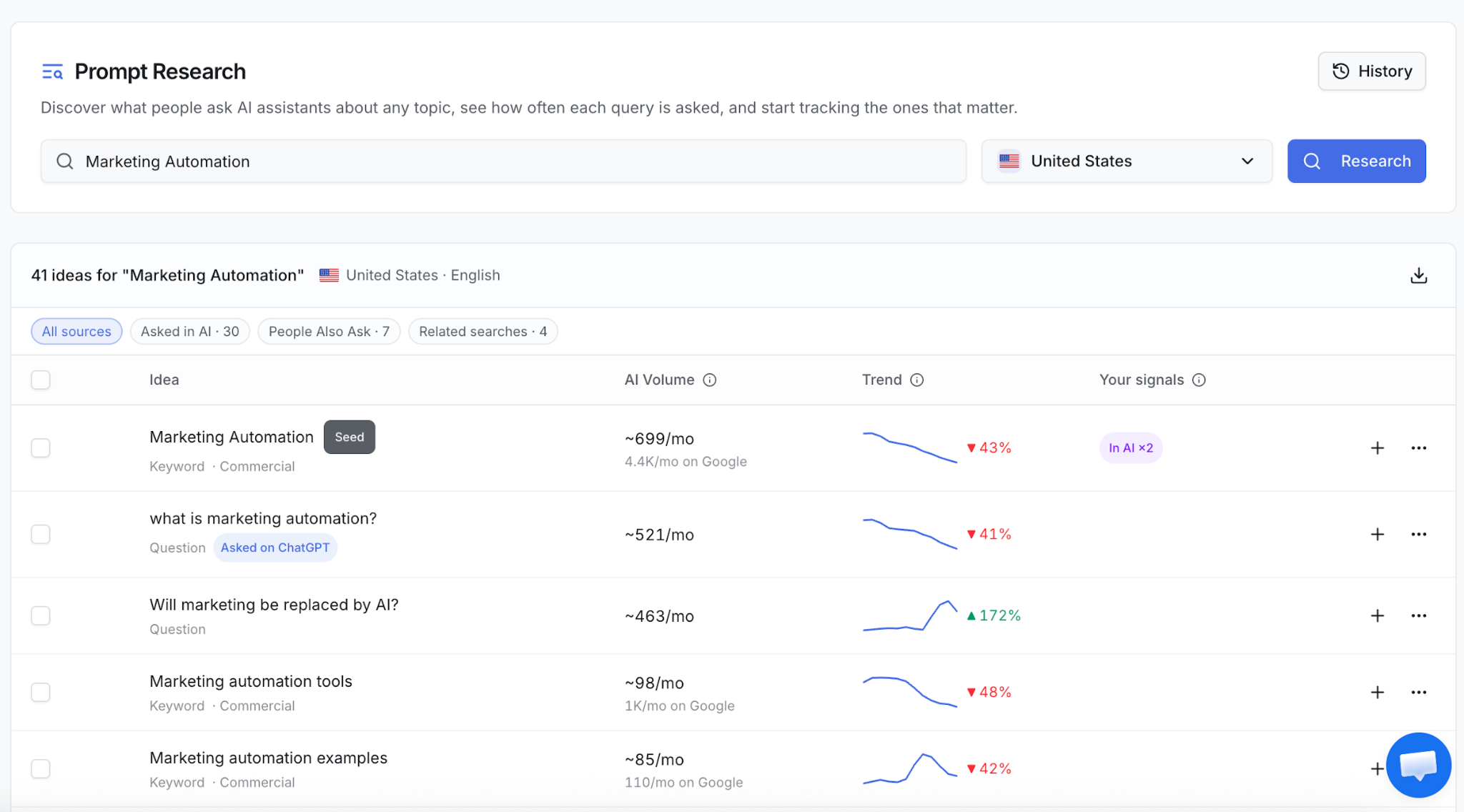
AI volume is an estimate, not a count of every conversation. If you already have a useful question set, you can skip research and work from that.
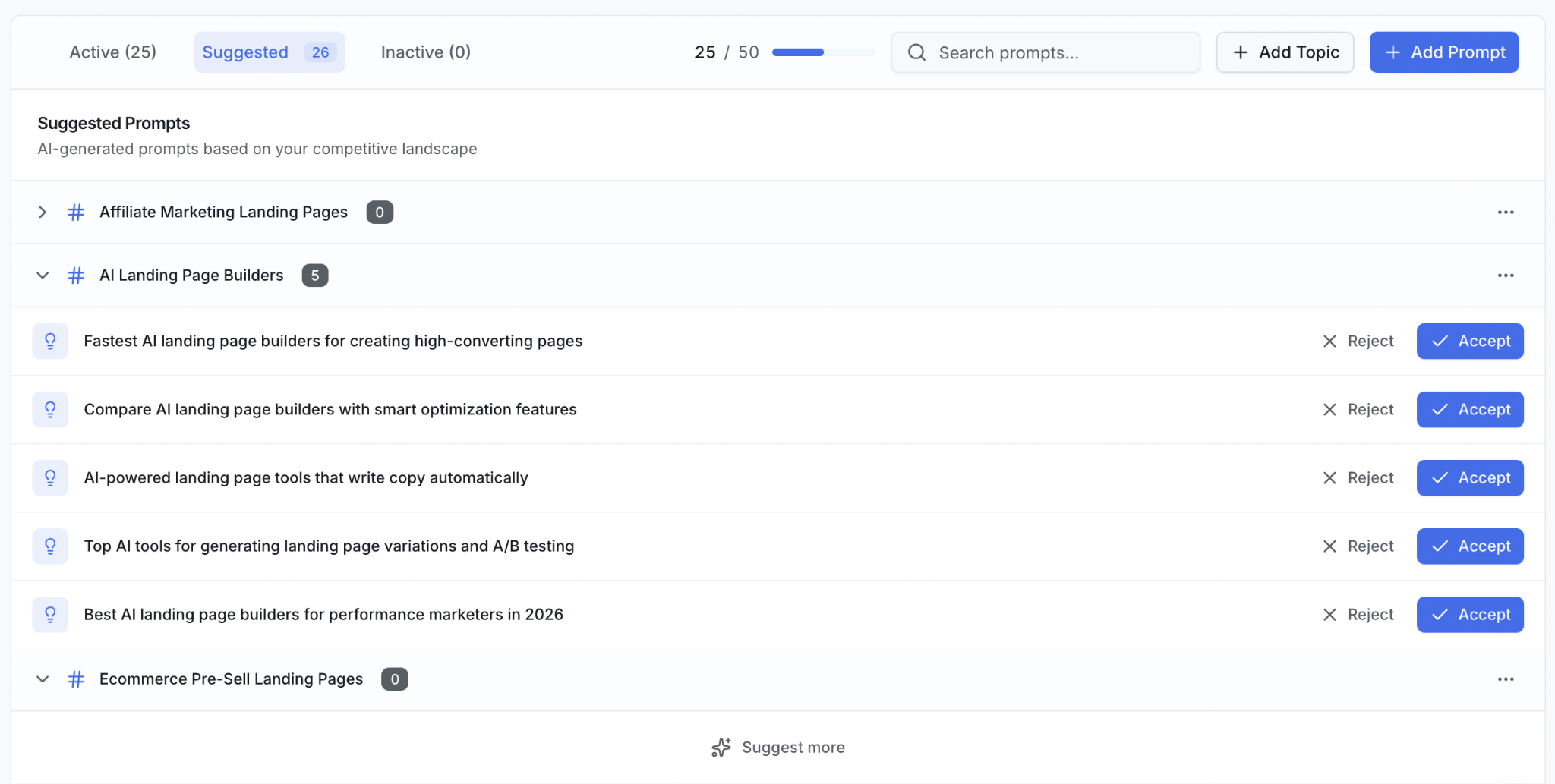
When getting started with ZeroRank, we give you a set of recommended prompts to start tracking. And you can always find more relevant ideas in the Suggested tab.
2. Find questions where competitors appear and you do not
Run your questions and keep the answers. You can start manually with a spreadsheet, or use a tracker to collect repeated observations.
In ZeroRank, open Prompts, expand the topic and compare visibility and the brands in Mentions. Pick a relevant question where your brand is absent or appears less often than competitors. Then open the answers behind it.
Keep the question, platform, market and dates consistent. Changing all four can make an apparent improvement hard to interpret.
A zero is also worth checking: did the platform return an answer that excluded you, or did the run fail?
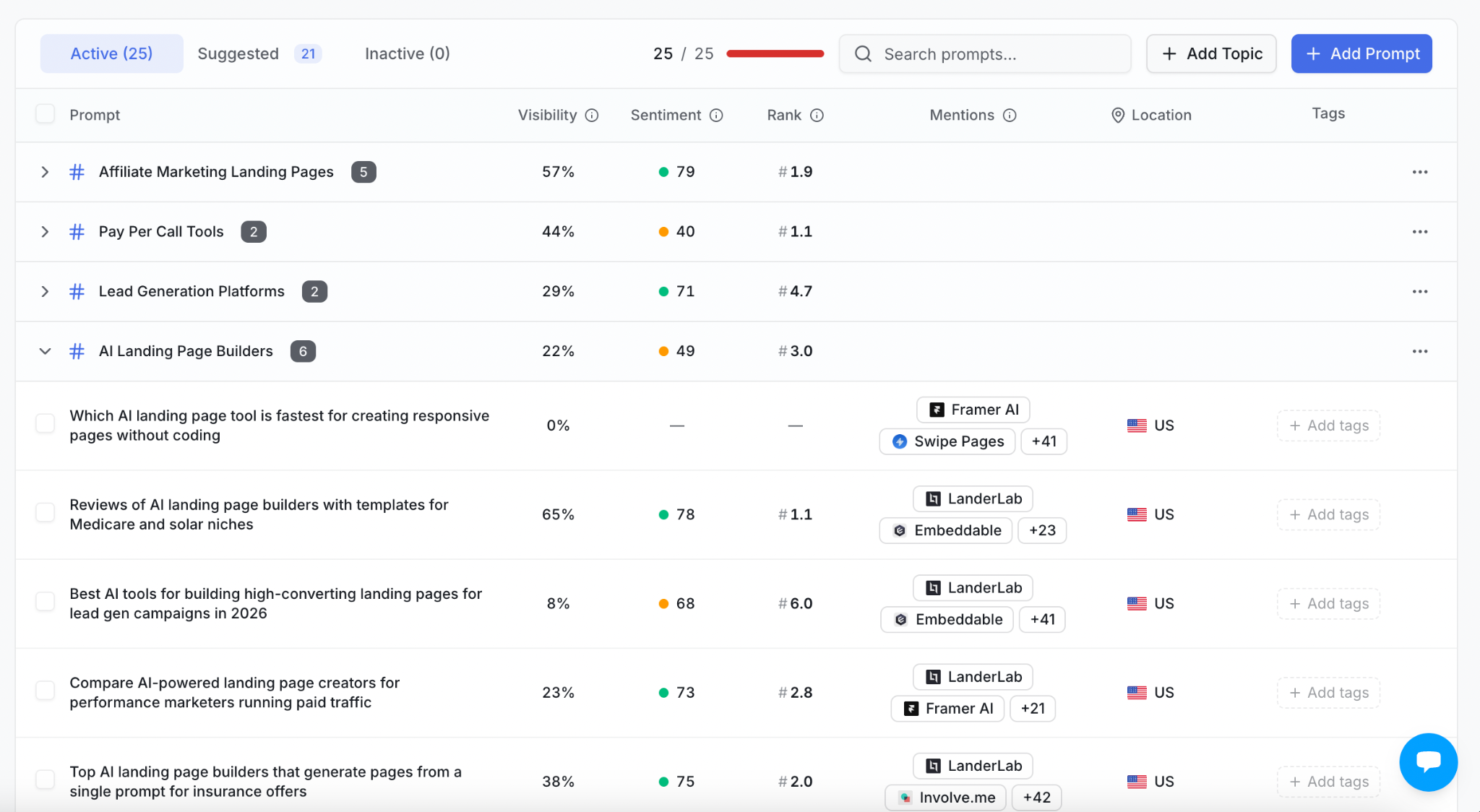
This first pass tells you where to look. It does not tell you why the AI chose those brands.
3. Read the answer and open its source links
Look at the full response. Is the competitor recommended, compared with another product or simply mentioned in passing? Does the answer link to the competitor’s own website or to someone else’s page?
In ZeroRank, open Chats and inspect the conversation alongside Brand Mentions and Sources. The question, platform and market help you keep the observation in context.
A source list alone is not enough. Open the page and find the part relevant to the answer.
For example, a software comparison may include a competitor because it supports a specific integration. Your page might never explain that integration, or your product might not support it. Those situations need different responses.
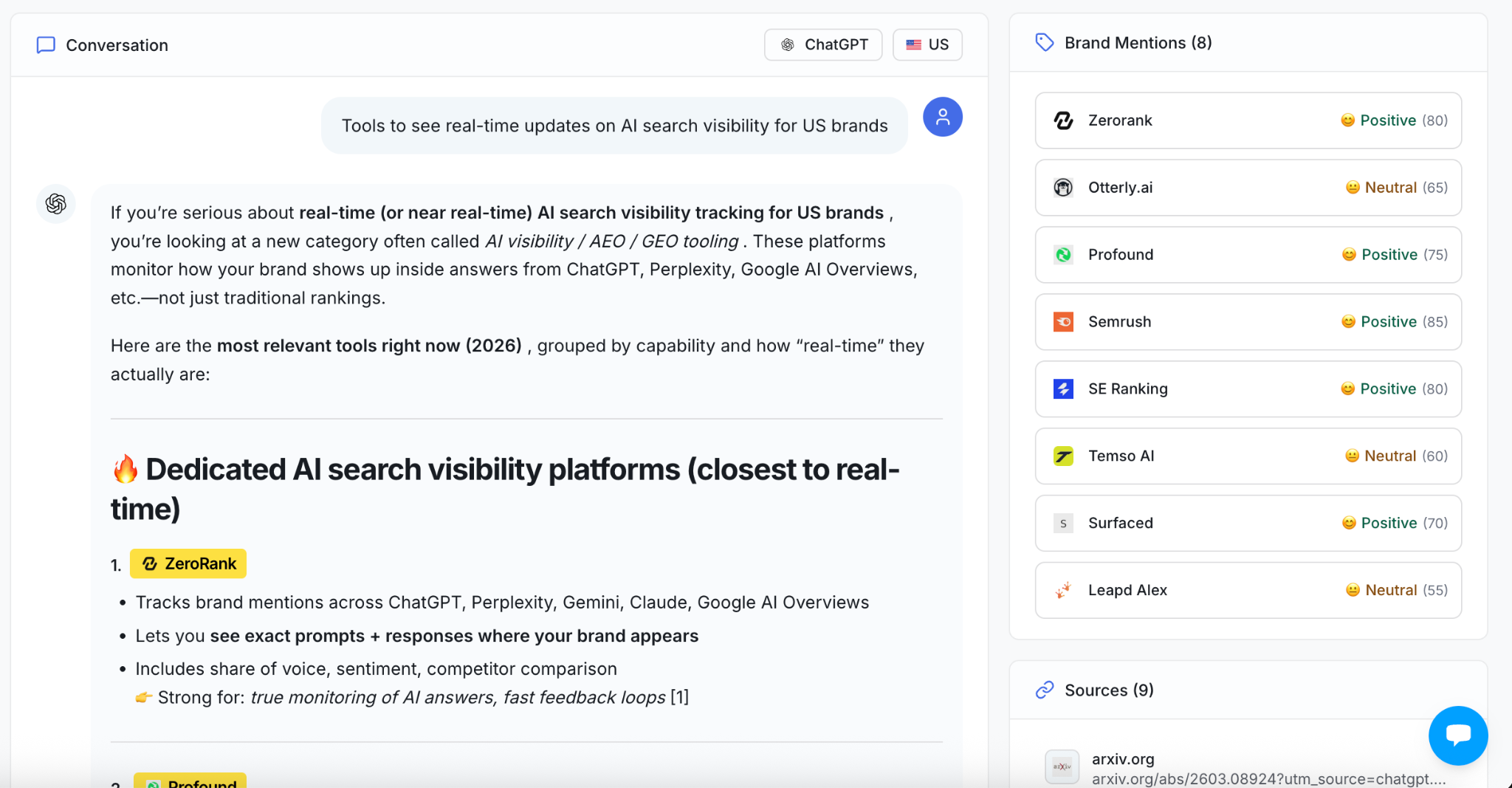
Record what you can see. A source link is not proof that you know the model’s internal reason for recommending a product.
4. Find the exact source pages you are missing from
Review the sources across your question set. A domain-level pattern helps you spot a publisher worth investigating; the exact URL tells you what to do next.
In ZeroRank, open Sources and use the date, brand and model filters. Review the URL, URL Type, brand-mentioned column and the brands shown in Mentions.
In the LanderLab example below, some rows are marked “No” under “LanderLab Mentioned” while the Mentions column includes brands such as Landingi and HubSpot. Those rows are useful starting points for investigation.
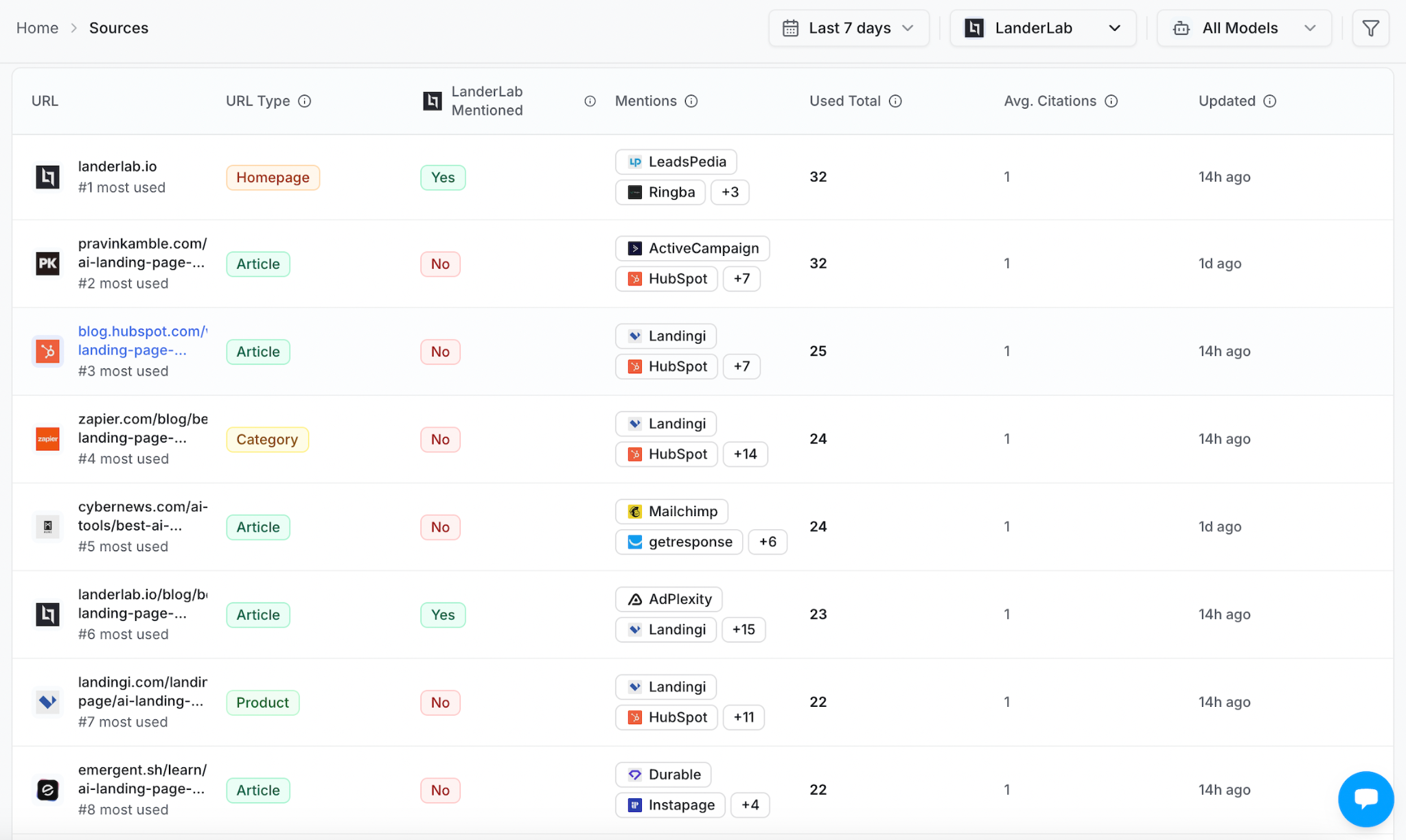
Open a promising row and check the page itself. Is your brand absent from the article? Is it mentioned with outdated information? Does the page actually cover the use case you care about?
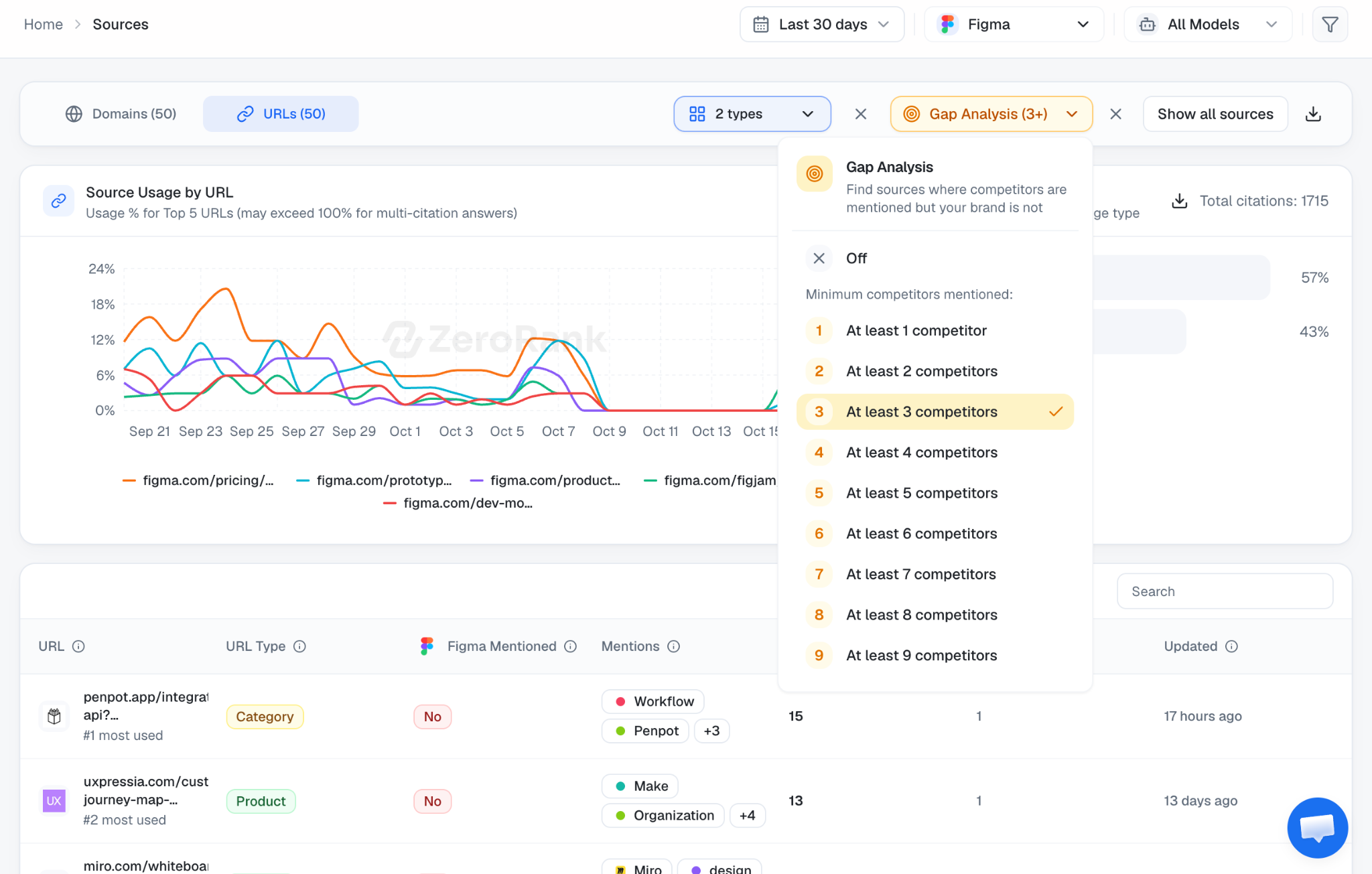
You can also run a Gap analysis and find sources where at least 1, 2, 3 or more of your competitors are appearing but you are not. This gives you more relevant sources.
A useful example: your site can be cited without your brand being recommended
In a Trustpilot review, Paul Grobler described a Cape Town letting-agency workspace where his site appeared as a cited source in 63% of tracked answers while brand visibility was 1%. Some questions also lacked a city and returned agencies from another province.
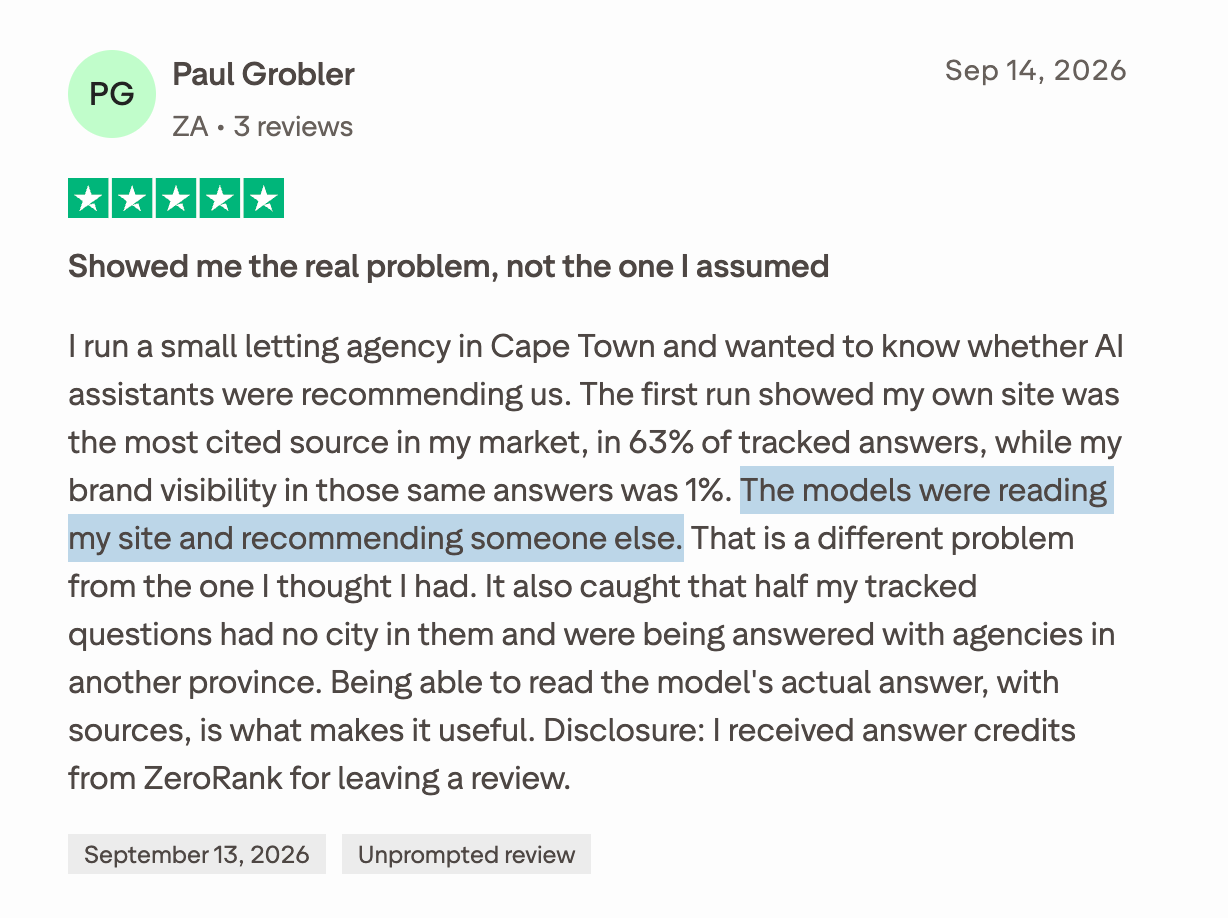
“Get more citations” would not address everything he described. He also needed to check the questions’ location and whether the answers actually named the business.
That is why I would look at the question, answer and source together before deciding what to fix.
5. Choose a fix that matches the gap
A useful gap analysis should leave you with a task, not just another report.
Improve a page you already have
Suppose your product supports client approvals, but your comparison page barely explains them. Meanwhile, the cited pages explain how approvals work, who they suit and what is included.
Update the existing page with the information a buyer needs: the supported workflow, limitations, examples and links to documentation.
In ZeroRank’s Content Optimization screen, enter your page URL, select the topic and choose the relevant tracked prompt. The analysis compares the page with cited content and produces suggestions you can work through.
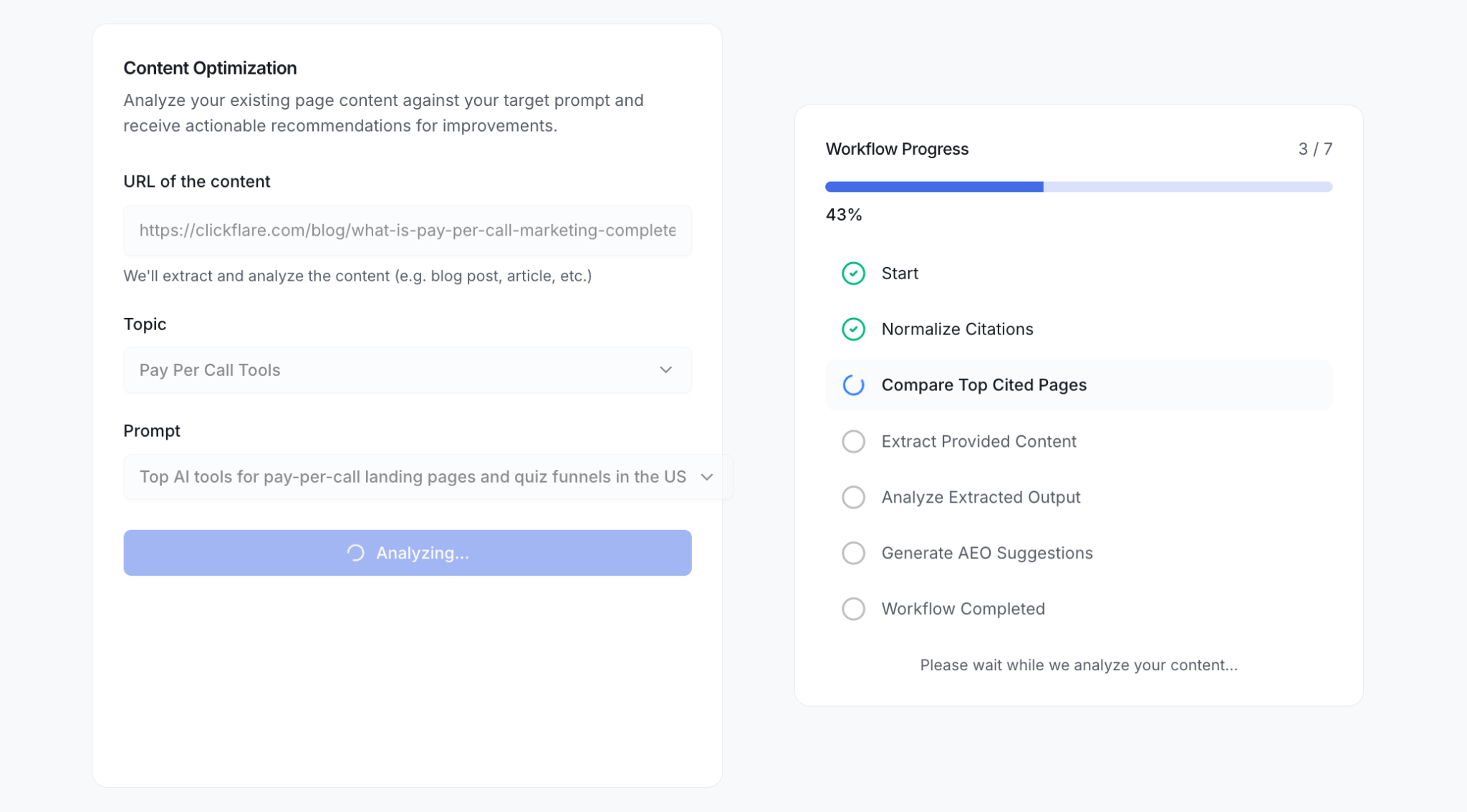
Choose the edits that make the page more useful. A recommendation is a starting point; your product facts and experience should shape the final copy.
Create a page when something useful is missing
Sometimes there is no page that answers the question well.
In ZeroRank, open Recommendations → On-Page to investigate the content types and themes appearing in cited pages. Use those findings to decide whether you need a guide, product explanation or comparison.
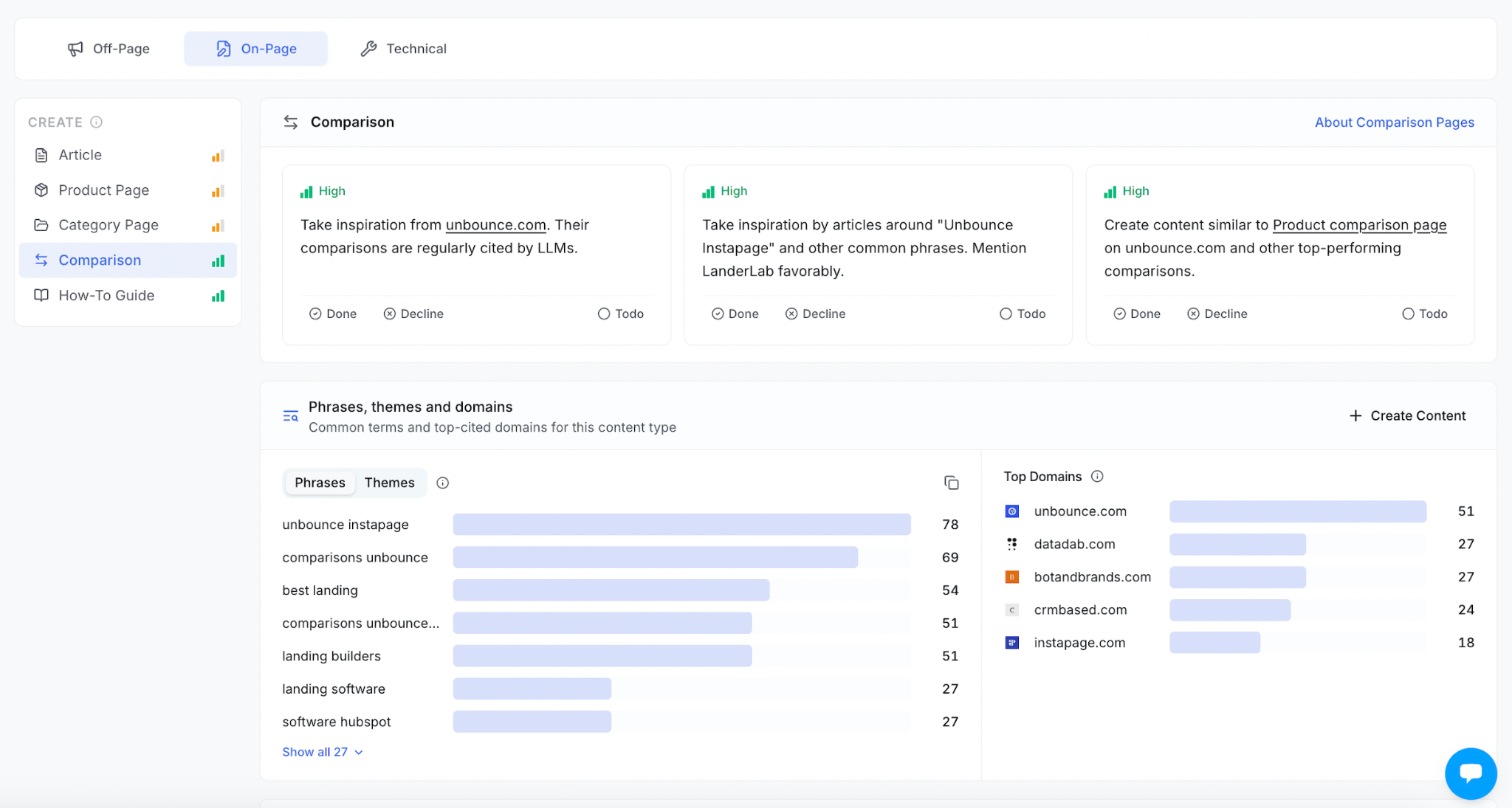
On-Page recommendations organize content opportunities by format and show related phrases and domains..
Then use Content Templates to start a brief or draft. Add your own examples, evidence and product details. If an existing page can do the job, improve it instead of creating a second page for the same intent.
Approach a relevant publisher
If a useful third-party page covers competitors but omits your relevant product, you may have an outreach opportunity.
First check whether your product meets the article’s criteria. Then explain the fit, provide current facts and disclose that you work for the company.
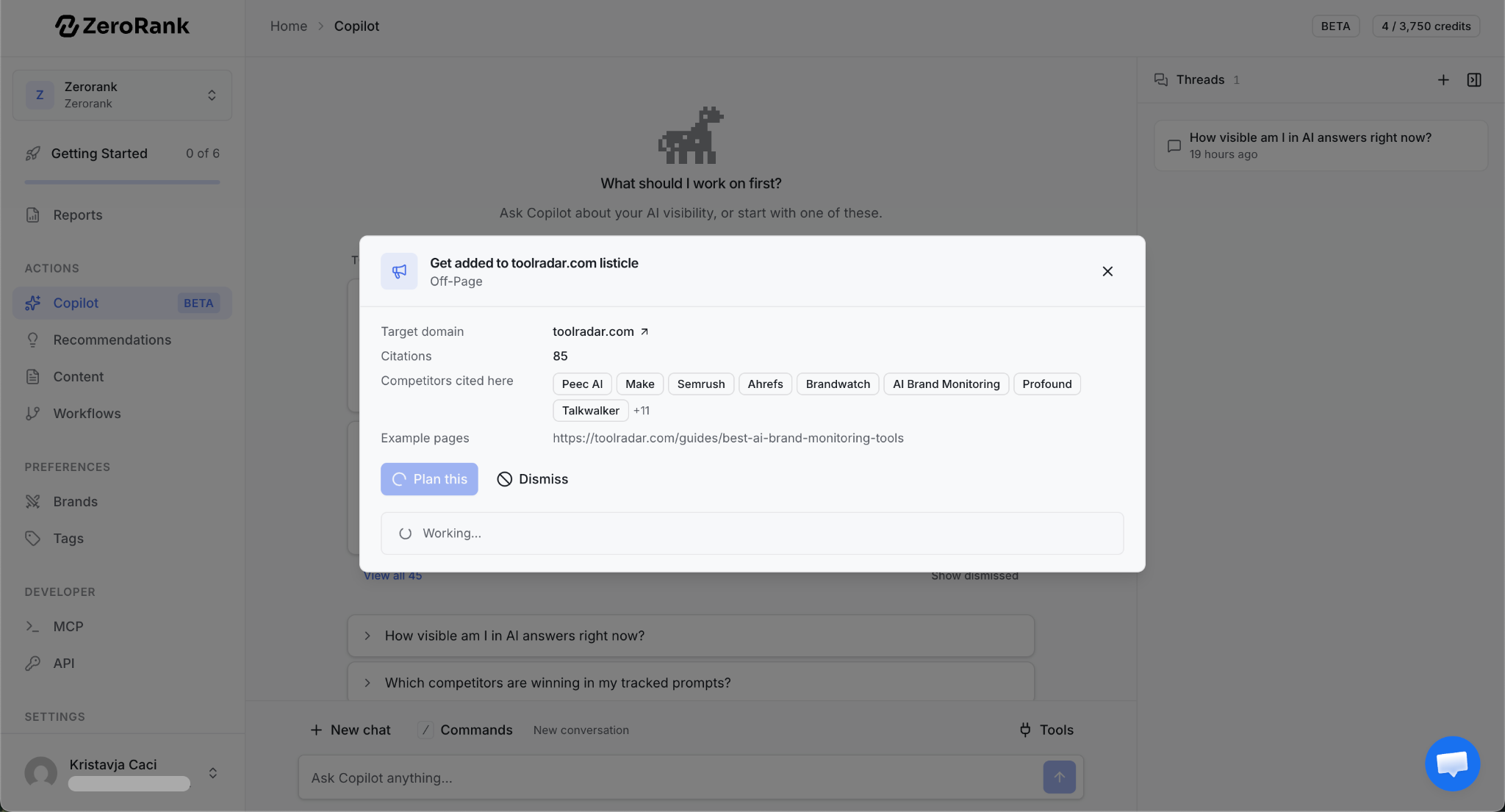
ZeroRank’s Recommendations → Off-Page view brings source pages and suggested actions together. In the example below, the Article view lists specific landing-page articles and the brands associated with them.
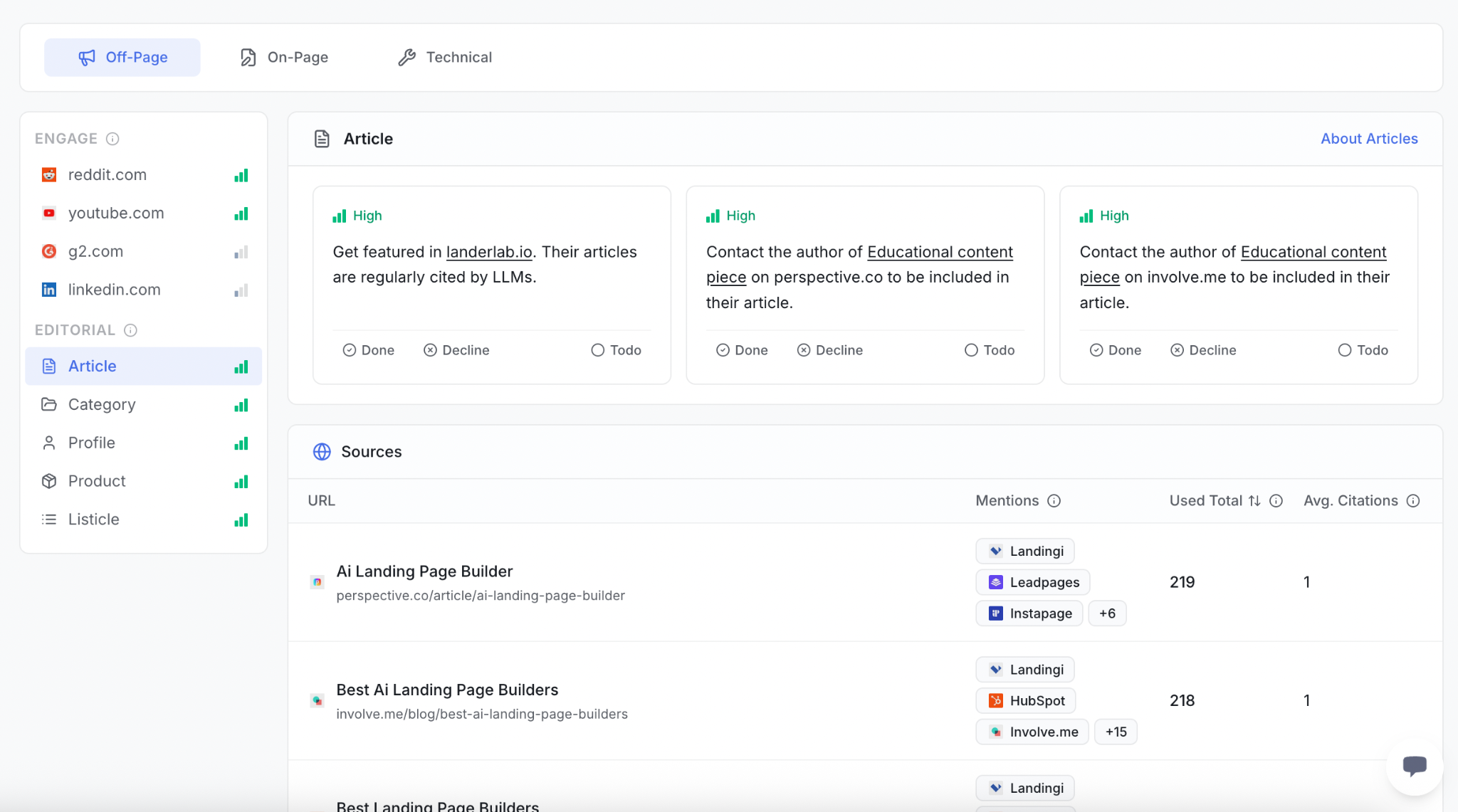
A short pitch could say:
“Your guide covers landing-page tools for agencies. Our product supports [relevant capability], which may be useful for the [specific use case] section. Here is the documentation and a short example. I work for [company], so happy to answer questions if you are reviewing additions.”
You can implement these recommendations using ZeroRank’s Copilot.
Correct inaccurate information or investigate access problems
If a cited page contains an old price or unsupported claim about your product, request a correction with a link to the current facts.
If your own page is unavailable, points to the wrong canonical or cannot be accessed by a relevant crawler, investigate that before commissioning more copy. ZeroRank’s Technical recommendations can help you find checks to review.
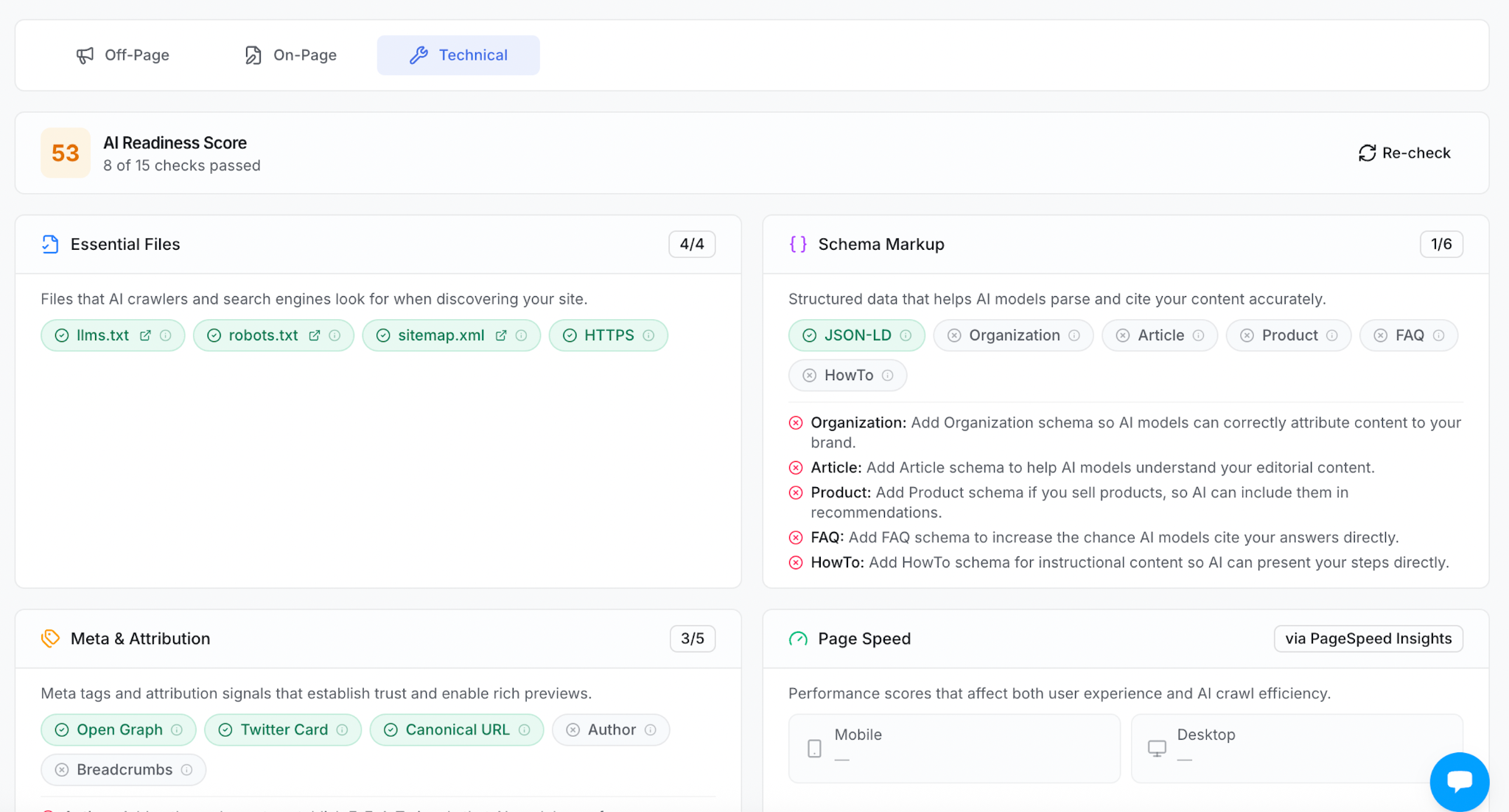
A readiness score is not an explanation of a missing citation. Google’s current AI-search guidance (opens in a new tab) does not require special AI markup or llms.txt for Google Search.
6. Check the same questions after making the changes
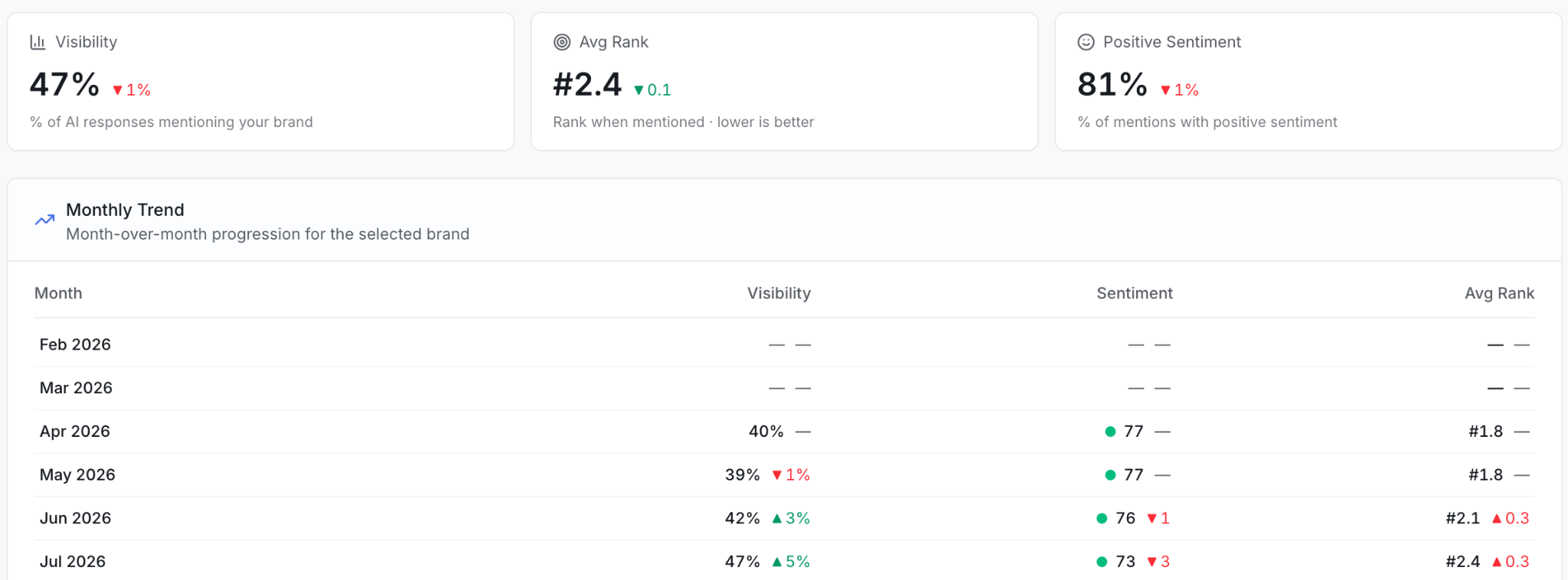
In ZeroRank, revisit Prompts, Chats and Sources for that scope. Check whether your brand appears, whether your page is cited and whether the third-party source changed.
Use reports to summarize the pattern, but keep the answer-level evidence available. A single new mention is worth checking; it is not proof that the change will keep working.
Put your gap analysis on autopilot
You don’t need to repeat the whole analysis by hand every time. Connect ZeroRank to your AI assistant through MCP (opens in a new tab), then set up a task that reviews your citation gaps every two weeks. Use a scheduling tool that can run the assistant with its MCP connection enabled.
Start with this prompt:
Every two weeks, use my ZeroRank workspace [name] to find questions where competitors are mentioned or cited but my brand is missing. Review the last 14 days and compare them with the previous 14. Give me five recommendations, ranked by relevance to my buyers. For each, include the question, AI platform, cited page and a specific next step. If there aren’t five well-supported recommendations, give me fewer.
Keep the same questions, platforms and markets in each review so you can see what changed. The result should be a short work list: a comparison page to improve, a question your content needs to answer or a relevant publication to approach.
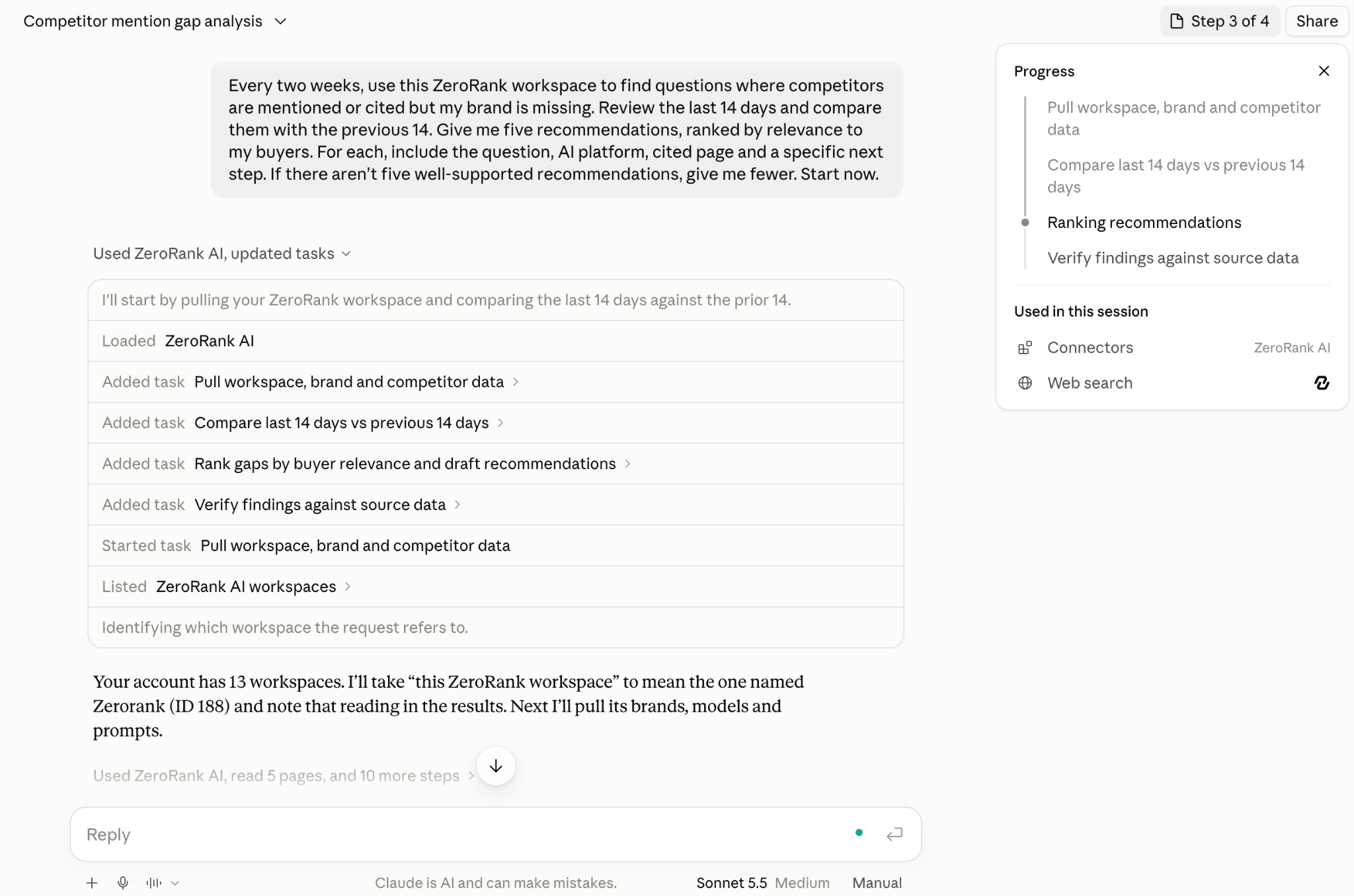
You can run the same analysis inside ZeroRank Copilot (opens in a new tab).
Run your AI citation gap analysis for free
See where competitors appear in AI answers, check the sources behind them and find your next opportunity. Start with a few buyer questions, then use ZeroRank to turn the gaps you find into content updates and outreach.
Create your free ZeroRank account and run your first analysis.
Filed under AI Search Strategies
Head of content and operations. On a mission to make ZeroRank the go-to platform for AI search visibility.
Keep reading
All posts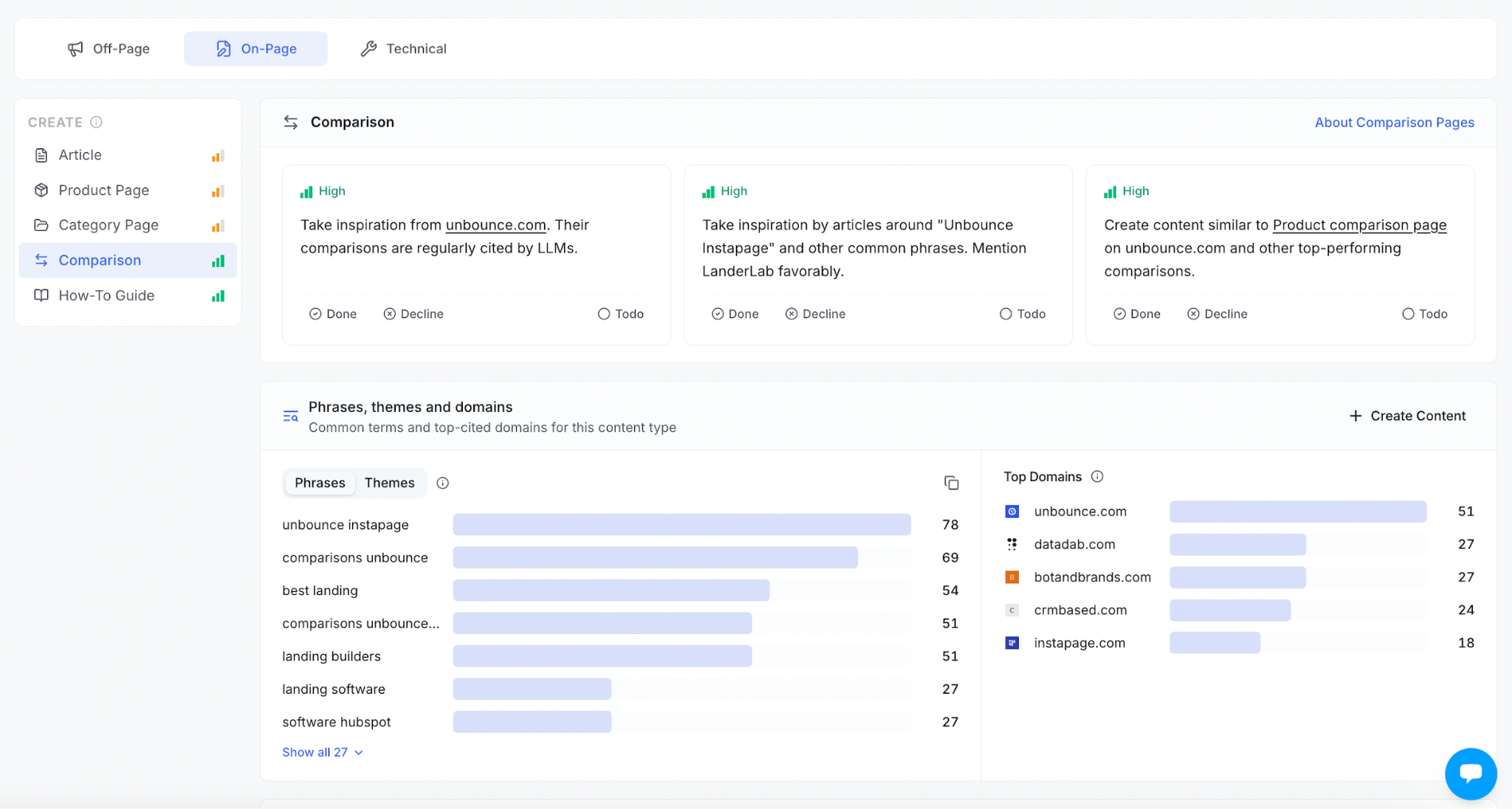 AI Search Strategies
 Answer Engine Optimization (AEO) Checklist
Use this AI search optimization checklist to improve your content, build brand credibility, and fix technical issues so you can get found in AI answers.
 AI Search Strategies
 How to Optimize Content for AI Search: 10 Practical Steps
This guide explains how to find content gaps, create or optimize the right pages, earn more citations, and measure the results with ZeroRank.
 AI Search Strategies
 LLM Prompt Tracking: How to Monitor AI Answers Across ChatGPT, Claude, and More
Tracking the right prompts is the foundation of AI visibility. Learn how to build a high-value prompt library, monitor key metrics across AI platforms, and turn prompt tracking into an effective AI search strategy.